Open Source · AI Dev Tools
Run Claude Code on Your Phone? This Open-Source Project Finally Makes It Possible
6,000+ GitHub Stars — bringing Claude Code from the terminal to any device, anywhere.
The Problem It Solves
Since Anthropic launched Claude Code — its powerful command-line AI coding tool — developers have been captivated by its ability to generate code, manage projects, and reason about entire codebases. But one frustration has never gone away: you’re chained to your desktop terminal.
Want to check on a project from your phone? Can’t. Continue writing code on an iPad? Not easily. Connect remotely to a Claude Code session running on a server? Painful.
Beyond the device limitation, the pure CLI experience leaves a lot to be desired: no visual file tree, no clean session management, no syntax-highlighted code blocks. Switching projects or resuming sessions means relying on memory and manual commands.
Claude Code UI (also known as CloudCLI) was built specifically to fix all of this.
What Is Claude Code UI?
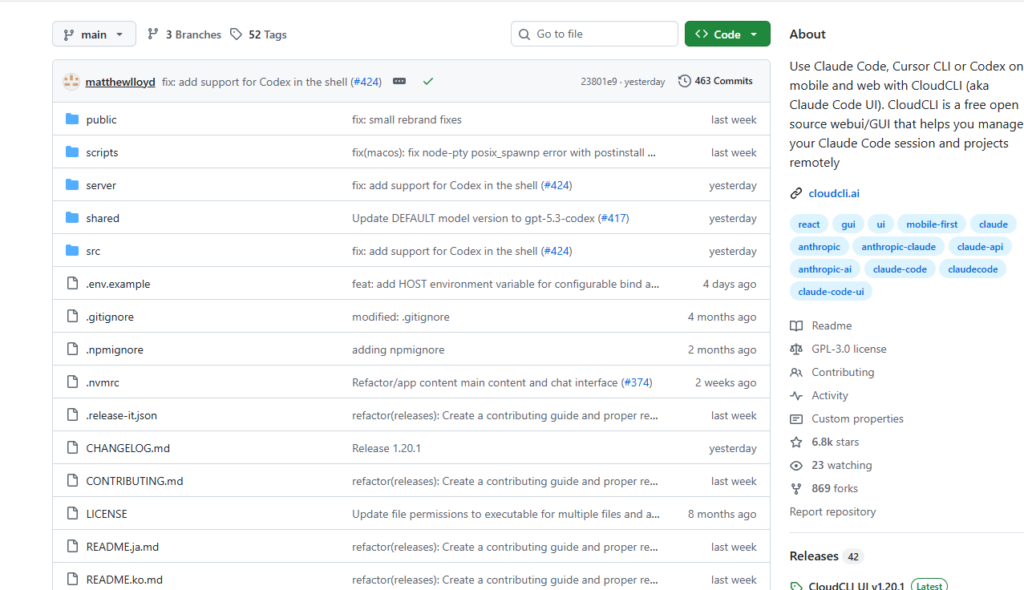
Claude Code UI is a free, open-source web GUI that lets you use Claude Code, Cursor CLI, or OpenAI Codex CLI entirely from your browser — on desktop, tablet, or smartphone.
🔗 https://github.com/siteboon/claudecodeui
With over 6,000 GitHub Stars and nearly 800 forks, it has quickly become one of the most popular visual interfaces for Claude Code.
Core mission: Transform the terminal-bound Claude Code experience into a full-featured, GUI-powered remote development workstation accessible from any device.
Key Features at a Glance
📱 Fully Responsive — Every Device
The interface adapts automatically to desktop, tablet, and phone layouts. You can genuinely do AI-assisted programming from your smartphone.
💬 Visual Chat Interface
No more staring at a black terminal. The built-in chat UI supports streaming responses, syntax-highlighted code blocks, and mixed text, code, and file references.
🗂️ Project & Session Management
Automatically discovers all projects under ~/.claude/projects/, with support for renaming, deleting, and organizing. Resume any past session at any time without losing context.
🌲 Interactive File Tree
Browse your project structure directly in the UI. Expand, collapse, and edit files in real time — no need to switch to a separate editor.
🔗 Real-Time WebSocket Communication
CLI responses are streamed live over WebSocket — low latency, smooth experience, no polling or refresh needed.
🧩 MCP Server Support
Add and manage MCP (Model Context Protocol) servers directly from the interface, extending Claude’s capabilities with custom tools and integrations.
🔒 Safety First
All Claude Code tools are disabled by default and must be explicitly enabled — preventing risky operations from executing automatically.
How to Get Started
There are two ways to use Claude Code UI — pick whichever fits your situation.
Option 1 — Use the Cloud Version (Easiest)
Visit the officially hosted version at cloudcli.ai. No setup required — just sign up and start using it immediately. Perfect if you want to try it before committing to self-hosting.
Option 2 — Self-Host Locally (Recommended for Developers)
Prerequisites:
- Node.js 20.0 or higher
- Claude Code CLI already installed
Installation steps:
# Step 1: Clone the repository
git clone https://github.com/siteboon/claudecodeui.git
cd claudecodeui

# Step 2: Install dependencies
npm install

# Step 3: Configure environment variables
cp .env.example .env
# Open .env and adjust port or other settings as needed

# Step 4: Start the server
npm run dev
Once running, open http://localhost:3001 in your browser and you’re in.
Enabling tools:
- Click the gear icon in the sidebar to open Tool Settings
- Toggle on the tools you need (start with the basics)
- Settings are saved automatically in your browser
Using it with a remote server: If your Claude Code instance runs on a remote server, simply deploy Claude Code UI there and access it from any browser. This is the setup that truly unlocks “code from anywhere.”
Conclusion
On the surface, Claude Code UI does one simple thing: it adds a web interface to Claude Code. But the experience improvement it delivers is anything but simple.
For developers who are tired of being physically tethered to a workstation, this tool is close to essential. You can pick up yesterday’s coding session from a coffee shop on your iPad, check Claude’s progress from your phone between meetings, or deploy it on a cloud server as a lightweight remote development environment.
Open-source, free, and actively maintained (latest release: v1.16.3) — if you’re a heavy Claude Code user, this is absolutely worth a try.
🔗 Links
GitHub: github.com/siteboon/claudecodeui
Cloud version: cloudcli.ai
If you find this useful, consider giving the project a Star on GitHub ⭐