Cursor and Claude Code feel great to use — but they don’t truly understand the structure of your codebase. GitNexus is here to close that gap.
1. What Problem Does It Solve?
If you’ve used Cursor, Claude Code, Cline, or Windsurf, you’ve probably run into this scenario: you ask the AI to modify a core function, it makes the change — and then you discover 47 other functions depended on that function’s return type. The AI had no idea. A breaking change silently slipped into your codebase.
The root cause: current AI coding tools don’t truly understand the structure of a codebase.
What they typically do is dump raw graph edges at the model and hope it can explore enough context on its own. The result:
- Multiple round-trip queries just to piece together one answer, burning through tokens
- Critical context gets missed when dependency chains are complex
- Smaller models, with limited reasoning capacity, struggle even more
Here’s what a typical Graph RAG workflow looks like:
User: "Who depends on UserService?"
→ Query 1: Find callers → returns 47 node IDs
→ Query 2: Which files do those nodes belong to?
→ Query 3: Filter out test files?
→ Query 4: Which ones are high-risk?
→ LLM interprets on its own…
→ 4 queries later, you finally have an answer
GitNexus’s answer: compute the structure at index time, so every query returns decision-ready context immediately.
2. What Is GitNexus?
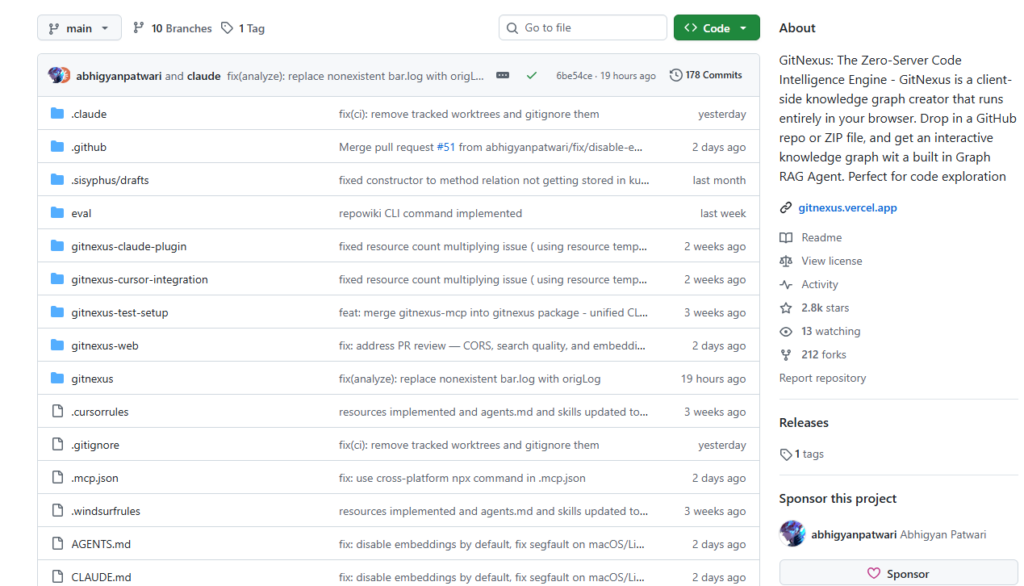
GitNexus is a Zero-Server Code Intelligence Engine that transforms a code repository into a queryable knowledge graph for AI agents to consume.
One-line positioning: deeper than DeepWiki. DeepWiki helps you “read” code; GitNexus lets you “analyze” it — because a knowledge graph tracks every dependency, call chain, and module relationship, rather than just natural-language descriptions.
Core Technical Highlights
Precomputed Structural Intelligence
GitNexus does the heavy lifting at index time:
- Uses the Leiden algorithm to cluster code by function, with cohesion scoring
- Traces complete execution flows via BFS from entry points
- Annotates every dependency with a confidence score (call relationships: 70–95%; imports: 85–95%)
- Groups dependencies by impact depth (Depth 1: guaranteed breaking; Depth 2: potentially affected)
When an AI agent queries GitNexus, it gets a fully structured answer in a single call:
GitNexus answers: "Who depends on UserService?"
→ 1 query, direct result:
  Depth 1 (guaranteed breaking): handleLogin  [call 90%] → src/api/auth.ts:45
                                  handleRegister [call 90%] → src/api/auth.ts:78
  Depth 2 (potentially affected): authRouter   [import 85%] → src/routes/auth.ts
Two Operating Modes
1. Web UI Mode (great for quick exploration)
Runs entirely in the browser via a WebAssembly stack (Tree-sitter WASM + KuzuDB WASM + in-browser embeddings). Zero deployment cost. Just drag in a ZIP file and start exploring.
2. CLI + MCP Server Mode (for deep integration)
Runs locally via Node.js, builds a persistent index, and connects to editors like Cursor, Claude Code, and Windsurf via the MCP protocol — giving AI agents genuine architectural awareness of your codebase. Claude Code gets the deepest integration: MCP tools + Agent Skills + PreToolUse Hooks that automatically enrich grep/glob/bash calls with structural context.
3. How to Use It
Option A: Try It Online (Easiest)
Visit gitnexus.vercel.app, zip up your repo, drag it in, and start chatting with your code. Completely free.
Option B: Local Web UI
git clone https://github.com/abhigyanpatwari/gitnexus.git
cd gitnexus/gitnexus-web
npm install
npm run dev
# Open http://localhost:5173 and drag in your ZIP file
Option C: CLI + MCP Integration (Recommended)
Step 1: Index your codebase in one command
npx gitnexus analyze
This single command handles everything: indexing, installing Agent Skills, registering Claude Code Hooks, and generating AGENTS.md / CLAUDE.md context files.
Step 2: Configure MCP (one-time setup)
npx gitnexus setup
# Auto-detects your editor and writes the global MCP config
GitNexus uses a global registry, so one MCP server can serve multiple indexed repositories — no per-project config needed.
Common CLI Commands
| Command | What It Does |
|---|---|
gitnexus analyze | Index the current repository |
gitnexus analyze --force | Force a full re-index |
gitnexus serve | Start a local HTTP server (connects to Web UI) |
gitnexus mcp | Start the MCP server |
gitnexus list | List all indexed repositories |
gitnexus status | Check the current repo’s index status |
gitnexus wiki | Generate a repo wiki from the knowledge graph |
gitnexus clean | Delete the current repo’s index |
Bridge Mode (Best of Both Worlds): Run gitnexus serve and the Web UI automatically detects the local server, letting you browse all CLI-indexed repos without re-uploading anything.
4. Summary
GitNexus targets a real, long-overlooked pain point: the “structural blind spot” in AI coding tools.
It isn’t another chatbot that “reads your code.” It establishes a precomputed structural intelligence layer between AI agents and your codebase — computing all dependencies, call chains, and module relationships at index time, then returning complete context in a single query.
This delivers three concrete benefits:
- Greater reliability: AI won’t produce breaking changes by missing dependencies
- Better token efficiency: One query replaces multi-round exploration
- Lower model requirements: Smaller models gain full architectural awareness, performing on par with larger ones
For developers who rely heavily on Cursor or Claude Code, plugging in GitNexus’s MCP integration is arguably one of the lowest-effort, highest-return engineering productivity upgrades available right now.
GitHub: https://github.com/abhigyanpatwari/GitNexus
Live Demo: https://gitnexus.vercel.app
If you found this useful, consider starring the project on GitHub and sharing it with anyone who’s been burned by AI-generated breaking changes.