CC Switch: The All-in-One Manager for AI Coding CLI Tools
CC Switch: The All-in-One Manager for AI Coding CLI Tools
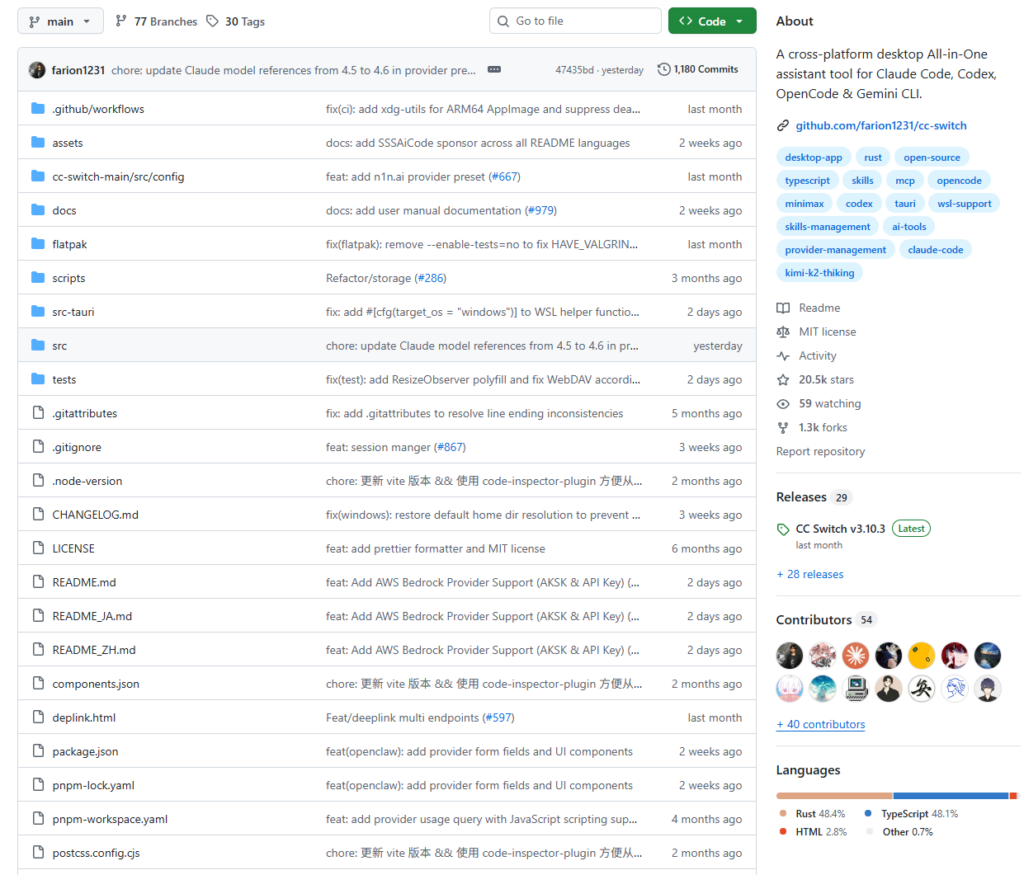
⭐ 19,600+ GitHub Stars🔀 1,200+ Forks🖥 macOS · Windows · Linux🦀 Built with Tauri (Rust)
Do you find yourself manually editing config files every time you switch API providers? Tired of juggling multiple AI coding tools with no unified way to manage them? CC Switch might be exactly the Swiss Army knife you’ve been looking for.
1. What Problem Does It Solve?
The AI coding tooling landscape has exploded. Developers today routinely use Claude Code, OpenAI Codex CLI, Gemini CLI, and OpenCode — sometimes all at once. But this abundance comes with a frustrating hidden tax:
Every time you want to switch API providers, you have to manually edit configuration files.
- Switching from the official Anthropic API to a third-party relay? Open the config file, hunt for the right field, paste a new API Key and Base URL…
- Want to manage MCP servers across multiple tools? Every tool stores its config in a different directory with its own format.
- Primary provider goes down and you need to fail over fast? It’s entirely manual — and stressful.
- How do you sync Prompt templates and Skills assets across devices? Even thinking about it is exhausting.
These are real, daily “developer time sinks.” CC Switch was built specifically to eliminate them.
2. What Is CC Switch?
CC Switch is a cross-platform, desktop All-in-One management tool purpose-built for the four dominant AI coding CLIs: Claude Code, Codex CLI, OpenCode, and Gemini CLI.
With over 19,600 GitHub Stars, it’s currently the most-watched open-source tool in this niche. Its core mission is straightforward: give you a graphical interface to centrally manage all your AI coding CLI configurations, API providers, MCP servers, and Prompt assets — so you never have to touch a config file manually again.
Under the hood, CC Switch is built with Tauri (Rust + web frontend), delivering a lean, performant native app on macOS, Windows, and Linux.
3. Core Features at a Glance
🔌 One-Click API Provider Switching
This is CC Switch’s flagship capability. Add as many API providers as you need — official endpoints, third-party relays, local inference servers — then switch between them with a single click. CC Switch automatically rewrites the relevant config files for every CLI tool. Switching also includes automatic health checks that validate whether an API endpoint is reachable before committing the switch, so you never accidentally cut over to a dead provider.
🔄 Local Proxy + Automatic Failover
Introduced in v3.9.0, CC Switch bundles a high-performance local HTTP proxy built on Axum. Each CLI tool gets its own configurable proxy route. More powerfully, the built-in circuit breaker and intelligent failover mechanism automatically routes traffic to a backup provider the moment a primary provider becomes unhealthy — with per-app queues and independent health tracking. The whole failover process is transparent to the CLI tools.
🛠 Unified MCP Server Management
Model Context Protocol (MCP) is the standard that allows AI tools to connect to external capabilities like file systems, databases, and search engines. CC Switch provides a single management interface for all your MCP servers, supporting stdio, http, and sse transport types. Configure once, and CC Switch automatically syncs the configuration to every CLI tool.
📝 Prompts & Skills Asset Management
A built-in Markdown editor with syntax highlighting and live preview lets you manage your Prompt templates in one place. The Skills feature goes further — it can automatically scan a GitHub repository and install Skills directly into ~/.claude/skills/, with full lifecycle management (install, update, uninstall).
🤖 Claude Rectifier (Thinking Signature Repair)
A practical compatibility fix for third-party API users. Some relay providers corrupt the signature field when forwarding Claude’s thinking content blocks, causing Claude Code to throw errors. The Rectifier automatically detects and repairs this issue, letting you use Extended Thinking features reliably even through discount relay services.
4. How to Use It
Installation
macOS (recommended — via Homebrew):
brew tap farion1231/ccswitch
brew install --cask cc-switch
Note for macOS users: The developer doesn’t hold an Apple Developer ID, so the first launch may show an “unidentified developer” warning. To proceed, go to System Settings → Privacy & Security and click “Open Anyway.”
Windows / Linux: Download the platform-specific installer from the GitHub Releases page.
Basic Workflow
1
Add an API Provider
Open CC Switch and navigate to the Providers page. Click “+” to add a new provider. You’ll fill in a display name, the Base URL (e.g. https://api.anthropic.com for the official Anthropic API, or your relay’s URL), and your API Key. CC Switch ships with preset templates for major relay providers — just pick one and paste in your key.
2
Switch with One Click
In the provider list, click the Switch button next to whichever provider you want to activate. CC Switch immediately updates the config files for Claude Code and the other CLI tools — no restart required.
3
Configure MCP Servers (Optional)
Head to the MCP page and add the servers you use regularly (filesystem tools, search tools, etc.). Configure once and CC Switch syncs the settings automatically to Claude Code, Codex, and every other supported tool.
4
Enable Local Proxy for Automatic Failover (Optional)
Enable Proxy Takeover mode in settings and add multiple backup providers. When your primary provider becomes unavailable, CC Switch silently fails over to the next healthy one — completely transparent to your CLI tools and your workflow.
5. Summary
CC Switch represents a meaningful shift in thinking: rather than forcing developers to adapt to each AI tool’s own configuration conventions, build a unified management layer on top of all of them.
If you only use a single AI coding tool and rarely switch providers, you probably don’t need it. But if you:
- Use multiple tools — Claude Code, Codex CLI, Gemini CLI — simultaneously
- Manage accounts across several API providers
- Need fast failover when your primary provider goes down
- Want one place to manage all your MCP configurations and Prompt assets
…then CC Switch is by far the most mature open-source solution available for this use case today. Nearly 20,000 Stars, an active release cadence, and 1,200+ Forks are a compelling vote of confidence from the community.
Open source · Free to use · macOS · Windows · Linux⭐ View on GitHub
If you find CC Switch useful, consider dropping a Star on GitHub to support the developer’s open-source work.