Introduction: The PS4 Exclusives We Never Got on PC
Bloodborne has never received a PC port. The Last Guardian remains a PS4-only title. Gravity Rush Remastered… the list of missed opportunities goes on.
For PC gamers, these titles have long felt like locked artifacts — the only way to experience them was to track down a used PS4 console.
That’s changing with shadPS4.
What Is shadPS4?
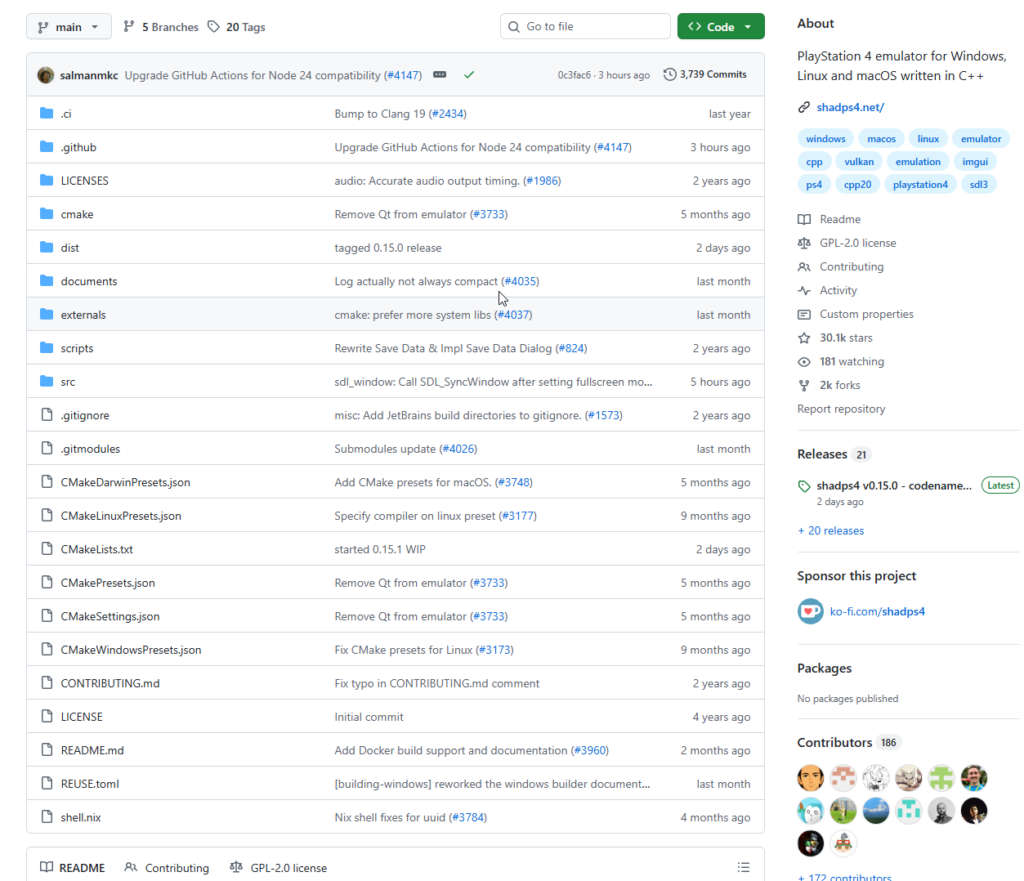
shadPS4 is an open-source PlayStation 4 emulator written in C++, supporting Windows, Linux, and macOS.
Project: https://github.com/shadps4-emu/shadPS4
The emulator can already run titles such as Bloodborne, Dark Souls Remastered, and Red Dead Redemption. The project was born out of its developers’ personal interest and is maintained by a small team working in their spare time — yet it has grown to over 29,000 GitHub stars, making it one of the most-watched emulation projects in recent years.
What Problems Does It Solve?
1. PS4 Exclusives Locked Out of PC
Games like Bloodborne, Gravity Rush Remastered, and The Last Guardian have no official PC release in sight. shadPS4 lets PC players experience these titles without owning a PS4.
2. The Hidden Cost of Used Hardware
The PS4 has been discontinued for years. Used units vary wildly in condition, and you still need to factor in storage, controllers, and other accessories. Running games on a PC through an emulator is more flexible, makes save management easier, and allows for display customization.
3. Filling a Technical Gap in PS4 Emulation
The PS4 runs on an x86-64 CPU and an AMD GCN GPU — before shadPS4, there was virtually no mature open-source emulation solution for this architecture. The project’s shader compiler draws inspiration from the Hades compiler in yuzu (the Nintendo Switch emulator), while PS4 OS and low-level library emulation has been made possible with support from the reverse-engineering work of the fpPS4 team.
Technical Highlights
Shader Compiler The shader compiler is modeled after yuzu’s Hades compiler architecture, allowing the team to focus on the challenges of emulating modern AMD GPUs rather than building an optimized compiler pipeline from scratch.
GPU Shared Memory Simulation (Readbacks) Recent releases introduced Readbacks support, which simulates the PS4’s shared memory model by reading GPU-side memory modifications back to the CPU. This resolved the vertex explosion issue in Bloodborne and largely fixed Trico’s climbing animations in The Last Guardian.
Rapidly Expanding Compatibility Compatibility has grown significantly since early 2025. On Windows, over 33 games are now rated Playable and over 81 are In-game (running but with issues).
How to Use shadPS4
⚠️ Disclaimer: shadPS4 only runs game dumps from PS4 discs or digital purchases you legally own. The emulator does not provide any game files and does not support piracy.
Step 1: Check System Requirements
You’ll need a CPU with at least 4 cores and 6 threads, a base clock of 2.5 GHz or higher, and support for the x86-64-v3 instruction set baseline. 16 GB of RAM or more is recommended — the emulator currently has a known memory leak, so more RAM means better stability. Make sure your GPU drivers (including integrated graphics) are fully up to date.
macOS users need macOS 15.4 or later. Intel Mac users may encounter GPU-related issues.
Step 2: Download the Emulator
The Qt version (with a graphical interface) is recommended for most users. A command-line SDL version is also available for advanced users.
Download the latest release for your platform from the GitHub Releases page: https://github.com/shadps4-emu/shadPS4/releases
Step 3: Install PS4 Firmware Modules
Certain PS4 firmware libraries are required for games to run correctly. These must be extracted from a PS4 console you legally own and placed in shadPS4’s sys_modules directory. Refer to the official Wiki for extraction instructions.
Step 4: Add Games and Launch
Add your game folder to the emulator’s game directory list and launch titles directly from the graphical interface.
You can also launch games via the command line:
# Launch by game ID
shadPS4 CUSA00900

# Launch in fullscreen
shadPS4 --fullscreen true CUSA00900

# Launch directly from an ELF file
shadPS4 /path/to/game.elf
Step 5: Controller Setup
Xbox controllers and DualShock pads work out of the box with no additional setup. Keyboard and mouse input can be configured in the settings, with per-game key binding support.
Check Game Compatibility
Before launching a game, check its status on the official compatibility list: https://github.com/shadps4-compatibility/shadps4-game-compatibility
Compatibility ratings:
| Rating | Meaning |
|---|---|
| Playable | Runs well with minor or no issues |
| In-game | Gets into gameplay but has notable problems |
| Menus | Reaches the main menu only |
| Boots | Launches but doesn’t get far |
| Nothing | Does not run |
Notable Playable Games
| Game | Status |
|---|---|
| Bloodborne | Playable |
| Dark Souls Remastered | Playable |
| Red Dead Redemption | Playable |
| Tomb Raider: Definitive Edition | Playable |
| The Last Guardian | Playable |
| Gravity Rush Remastered | Playable |
| Guilty Gear Xrd REV 2 | Playable |
| 13 Sentinels: Aegis Rim | Playable |
Conclusion
shadPS4 is doing something genuinely important: keeping the PS4 generation’s gaming legacy accessible.
Compared to RPCS3 — the mature, feature-complete PS3 emulator — shadPS4 is still early in development. Some games will crash, display glitches, or behave unexpectedly. But given that the PS4 is one of the most architecturally complex consoles the open-source community has ever attempted to emulate, the pace of progress is remarkable. In under two years, the project went from barely booting simple games to running Bloodborne at a playable state.
Worth following if you are:
- A PC gamer who wants to experience PS4 exclusives without buying the console
- A PS4 owner who wants better save management or display options on PC
- A developer interested in emulation research or PS4 low-level architecture
The project is actively maintained, with new games reaching playable status every month. If you have a PS4 exclusives wishlist that’s been gathering dust, now is a good time to check the compatibility list.
GitHub: https://github.com/shadps4-emu/shadPS4 Official site: https://shadps4.net