What Problem Does It Solve?
Most AI assistant tools share a handful of persistent frustrations:
Memory loss between sessions. Every conversation starts from scratch. You explain your project architecture today, and tomorrow the assistant remembers nothing. Context built over weeks evaporates instantly.
Frozen capabilities. A tool’s abilities are fixed at the time its developers ship it. No matter how long you use it or how much you interact with it, it doesn’t get better at working with you specifically.
Terminal dependency. Most AI coding assistants live inside an IDE (Copilot, Cursor) or a browser chat window. They can’t run persistently on a server, autonomously executing long-running tasks in the background.
Model lock-in. Switching to a different underlying model often means touching config files or rewriting integration code — a high-friction cost that discourages experimentation.
Hermes Agent addresses all four problems at once: it’s an open-source autonomous agent designed to live permanently on your server and become more capable the longer you use it.
What Is Hermes Agent?
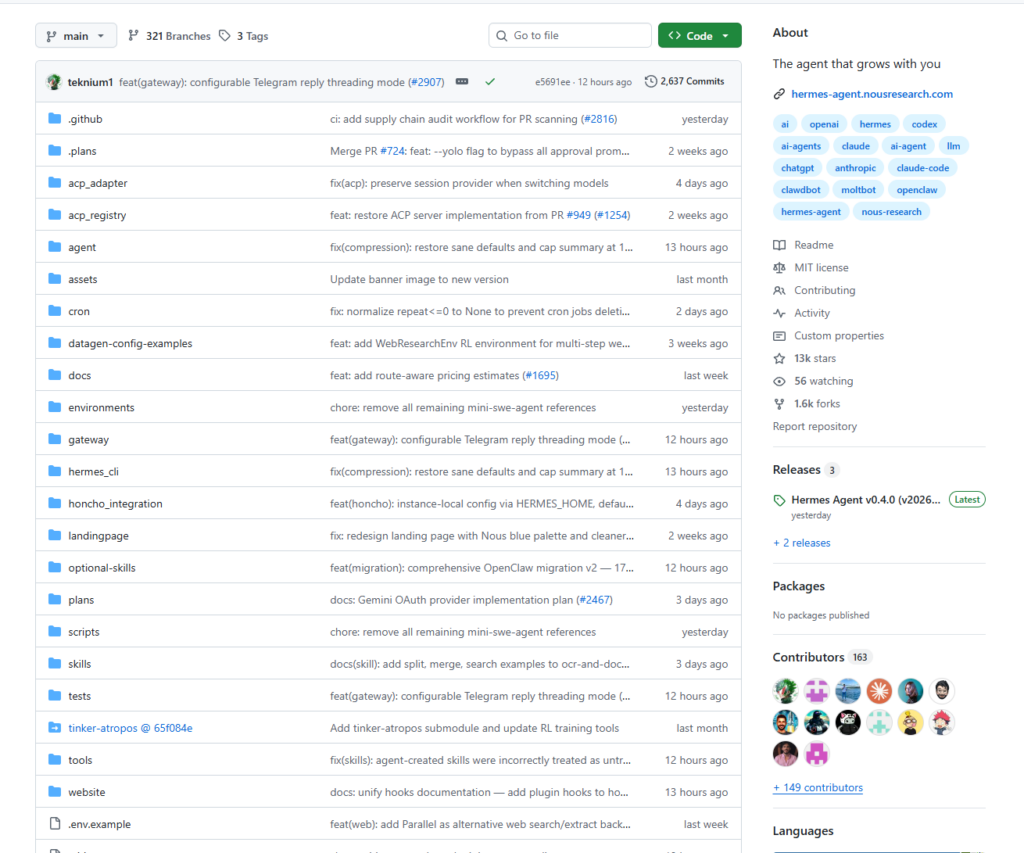
Hermes Agent is an autonomous AI agent framework open-sourced by Nous Research, built around the tagline “The agent that grows with you.”
It isn’t an IDE plugin or a thin wrapper around a chat API. It’s a self-hosted agent process that runs continuously on your server — with persistent cross-session memory, the ability to synthesize new skills from experience, and support for real-time interaction via Telegram, Discord, Slack, WhatsApp, and other messaging platforms.
Core Features
① A Built-In Learning Loop
This is what sets Hermes apart from virtually every other agent framework. While running, it:
- Automatically distills new Skills (structured
.mdfiles) from your conversations, so similar tasks in the future are handled immediately without re-explanation - Iteratively improves existing skills as it gains experience
- Actively remembers your preferences, project details, and working habits to build a persistent model of how you operate
- Searches its own conversation history to avoid repeating past mistakes
Skill files follow the open agentskills.io format, making them portable across different agent frameworks and shareable with the broader community.
② A Multi-Platform Messaging Gateway
A single gateway process connects Hermes to Telegram, Discord, Slack, WhatsApp, Signal, IMAP/SMTP email, and even Home Assistant. Configure once, manage everything from one place. Conversations are cross-platform continuous — a task started on Telegram can be picked up in a terminal session without losing context.
③ Six Execution Backends
Supports Local, Docker, SSH, Daytona, Singularity, and Modal execution environments. Daytona and Modal both support serverless persistence: the environment sleeps when Hermes is idle and wakes instantly on demand, keeping costs near zero. It runs equally well on a $5 VPS or a GPU cluster.
④ Complete Model Freedom
Compatible with Nous Portal, OpenRouter (200+ models), Kimi/Moonshot, MiniMax, OpenAI, Anthropic, or any self-hosted endpoint. Switch models with a single command — no code changes required:
hermes model
⑤ Plugins and MCP Integration
Drop a Python file into ~/.hermes/plugins/ to add custom tools, commands, and hooks — no need to fork the repository. Hermes also ships as a native MCP (Model Context Protocol) client, meaning it can connect to any MCP Server to extend its capabilities arbitrarily.
⑥ 40+ Built-In Skills, 70+ Optional Skills
Skills cover MLOps workflows, GitHub automation, research assistance, and more. The community ecosystem is growing quickly, with third-party skill repositories already accumulating hundreds of stars.
⑦ A Polished TUI Interface
Multi-line editing, slash-command autocomplete, conversation history, interrupt-and-redirect, streaming tool output, and seven built-in color themes. The terminal experience is refined to a degree that’s genuinely uncommon in developer tooling.
⑧ First-Class OpenClaw Migration Support
Hermes ships with a migration tool that automatically detects ~/.openclaw directories and transfers your config, memories, skills, and API keys in one command.
How to Use It
Installation
curl -fsSL https://raw.githubusercontent.com/NousResearch/hermes-agent/main/scripts/install.sh | bash
The installer handles Python 3.11, Node.js, all dependencies, and the hermes CLI automatically. No prerequisite environment required beyond git. Supports Linux, macOS, and WSL2. Windows native is not currently supported — use WSL2.
Initial Setup
hermes setup
An interactive wizard walks you through choosing a model provider and configuring your API key. OpenClaw users will see an automatic prompt to migrate existing data.
Start a Conversation
hermes
Launches the full TUI interface. Memory and skills are active immediately.
Configure the Messaging Gateway
# Interactive setup for your messaging platform accounts
hermes gateway setup

# Start the gateway
hermes gateway

# Install as a system service (auto-start on boot)
hermes gateway install
Once configured, you can send messages to your agent from Telegram and have it execute tasks on your server in the background.
Manage Skills
# List installed skills
hermes skills

# Install a community skill (from ClawHub, LobeHub, or GitHub)
hermes skills install <skill-name>
Scheduled Tasks
hermes cron
Configure cron-style scheduled jobs. Hermes will execute tasks automatically on schedule and push results to your configured messaging platform.
Migrating from OpenClaw
# Preview what will be migrated (dry run)
hermes claw migrate --dry-run

# Run the full migration
hermes claw migrate

# Migrate only user data (no API keys)
hermes claw migrate --preset user-data
Summary
Hermes Agent is one of the most systematically designed open-source agent frameworks available today, and its ecosystem is developing at a rapid pace. Its core value proposition is straightforward: it transforms an AI agent from a stateless tool into a long-term collaborative partner. Persistent memory, automatic skill accumulation, cross-platform messaging, and model-agnostic design all point toward the same goal — making an agent that genuinely integrates into your daily workflow rather than requiring constant reconfiguration.
For existing OpenClaw users, the seamless migration path makes it worth serious evaluation. For those new to self-hosted AI agents, the one-command installer and guided setup make the on-ramp as friction-free as it gets.
Repository: https://github.com/NousResearch/hermes-agent
Documentation: https://hermes-agent.nousresearch.com/docs