You’ve probably scrolled past those videos: gameplay footage at the bottom, Reddit screenshots on top, with an AI voice reading out comments. Now, the whole thing can be generated automatically.
1. What Problem Does It Solve?
If you spend any time on TikTok, YouTube Shorts, or Instagram Reels, you’ve definitely seen this format — the bottom half of the screen shows Minecraft or GTA gameplay, the top half shows a Reddit post screenshot, and a text-to-speech voice reads out comment after comment. The posts are usually something like “What’s the most embarrassing thing that ever happened to you?” and the answers just keep rolling.
Making one of these videos by hand is surprisingly tedious:
- Find a popular Reddit thread
- Screenshot the post title and each comment one by one
- Convert each comment to audio using a TTS tool and export them individually
- Source a gameplay clip to use as the background
- Import everything into a video editor and sync screenshots, audio, and background
- Trim the timeline, add captions…
All in, that’s anywhere from 30 minutes to a couple of hours per video.
RedditVideoMakerBot wraps every single one of those steps into a single command and delivers a finished, upload-ready video in 5 to 10 minutes.
2. What Is It?
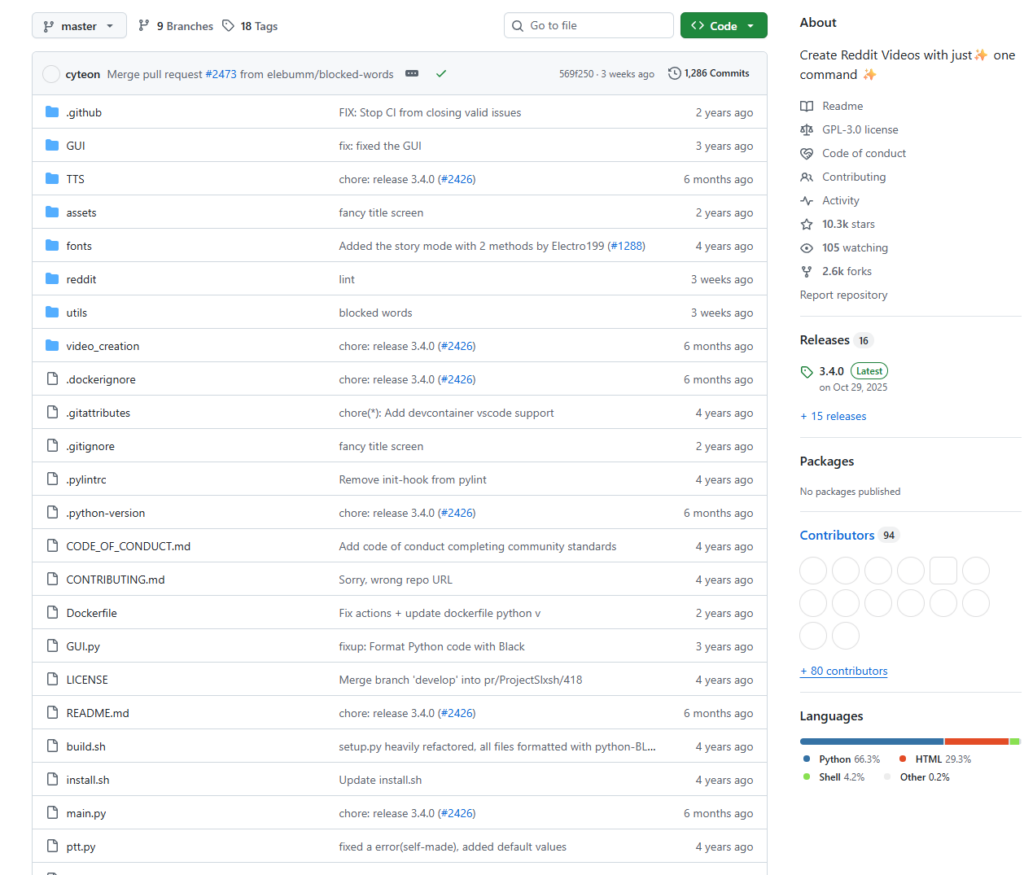
RedditVideoMakerBot is an open-source Python automation tool created by elebumm (Lewis). It has attracted a large following on GitHub and is actively maintained.
Project repository: https://github.com/elebumm/RedditVideoMakerBot
Core Pipeline
Fetch post via Reddit API
        ↓
Screenshot post title + comments with Playwright
        ↓
Convert text to speech with a TTS engine (one audio file per comment)
        ↓
Download a background gameplay video
        ↓
FFmpeg assembly: background + screenshots + audio → final MP4
The entire process runs without any manual input.
Key Features
- Multiple TTS engines: Ships with support for TikTok TTS, ElevenLabs (high quality), Google Translate TTS, StreamLabs Polly, and more — voices can even be randomized per comment
- Flexible background videos: Choose from Minecraft, GTA, Rocket League, and other gameplay clips, or supply your own custom background
- Story mode: Reads the full post body, not just the comments — great for narrative-style posts
- Custom resolution: Supports both portrait (9:16 for TikTok/Shorts) and landscape (for YouTube)
- Background music: Layer ambient audio on top of the video for extra atmosphere
- Watermark support: Add a custom watermark to any corner of the video
- Batch processing: Supply multiple post IDs and generate several videos in one run
- Translation support: Built-in multilingual translation so you can produce non-English videos
3. How to Use It
Requirements
- Python 3.10 or higher
- macOS or Linux (recommended); Windows is also supported
Step 1: Install
bash <(curl -sL https://raw.githubusercontent.com/elebumm/RedditVideoMakerBot/master/install.sh)
This script automatically installs all dependencies, including FFmpeg and Playwright.
Step 2: Set Up Reddit API Access
- Go to https://www.reddit.com/prefs/apps
- Click “create another app” and select script as the app type
- Enter any URL in the redirect URL field — for example,
https://example.com - After creating the app, copy your
client_idandclient_secret
Step 3: Configure the Bot
On first launch, the bot walks you through setup interactively:
python main.py
You’ll be prompted for:
- Your Reddit credentials and API keys
- The subreddit you want to pull from (e.g.
r/AskReddit) - Your preferred TTS engine (e.g. TikTok, ElevenLabs)
- Background video type
- Output resolution and target video length
Everything is saved to config.toml. On all future runs, just execute python main.py.
Step 4: Generate a Video
python main.py
The bot will automatically:
- Fetch a top post from the chosen subreddit
- Screenshot the post and its comments
- Generate speech for each comment via the TTS engine
- Assemble everything with the background video
- Export the finished MP4 to the
results/directory
No further input required.
Sample config.toml
[reddit.creds]
client_id     = "your_client_id"
client_secret = "your_client_secret"
username      = "your_reddit_username"
password      = "your_reddit_password"
[reddit.thread]
subreddit = “AskReddit” post_id = “” # leave blank for a random top post max_comment_length = 500 min_comment_length = 1
[settings]
tts = “tiktok” # or “elevenlabs”, “googletranslate” background_video = “minecraft” resolution_w = 1080 resolution_h = 1920 # portrait 9:16
Upgrading to Higher-Quality TTS with ElevenLabs
Add the following to config.toml:
[settings]
tts                = "elevenlabs"
elevenlabs_api_key = "your_api_key_here"
ElevenLabs’ free tier supports roughly 5 videos per month and produces near-human-quality narration.
4. Summary
RedditVideoMakerBot is a textbook content automation tool. It takes a highly repetitive, low-creativity production workflow and reduces it to a single command, allowing anyone to churn out this style of video at minimal cost in time or effort.
| Manual workflow | Using the bot | |
|---|---|---|
| Time per video | 1 – 3 hours | 5 – 10 minutes |
| Technical skill required | Video editing software | One command |
| Customisation | High | Medium (via config) |
| Best suited for | High-effort, polished content | Batch / daily output |
Who is this for?
- Creators who want to run a TikTok or YouTube Shorts channel but don’t have time to edit
- Developers curious about how automated content pipelines work
- Social media managers interested in repurposing Reddit content
Things to keep in mind:
- Make sure your use of Reddit content complies with Reddit’s API terms of service
- Some TTS engines (ElevenLabs, in particular) have usage costs beyond the free tier
- The codebase is clean and well-structured — the author actively welcomes contributions at any skill level
If you want to go deeper, feel free to fork the repo and adapt it to your own workflow.
Repository: https://github.com/elebumm/RedditVideoMakerBot Documentation: https://reddit-video-maker-bot.netlify.app/