Imagine merging your company’s most knowledgeable colleagues into a single AI — always available, answering any question on demand. That’s exactly what Onyx is built to do.
1. What Problem Does It Solve?
As teams grow, knowledge fragments across every tool in your stack: product docs live in Confluence, conversations happen in Slack, bugs are tracked in GitHub, and customer data sits in Salesforce. Every time a new hire joins, a cross-functional project kicks off, or an incident needs rapid response, teams waste enormous amounts of time finding information instead of using it.
This is the classic knowledge silos problem — and general-purpose AI tools like ChatGPT can’t solve it, because they know nothing about your company’s internal context.
Onyx was built specifically to break down these silos:
- New hires onboard themselves without constantly interrupting experienced teammates
- Support teams find answers faster by searching across all documentation at once
- Sales reps surface customer context instantly instead of digging through email threads
- Engineers stop reinventing the wheel by querying historical issues and past code decisions
2. What Is Onyx?
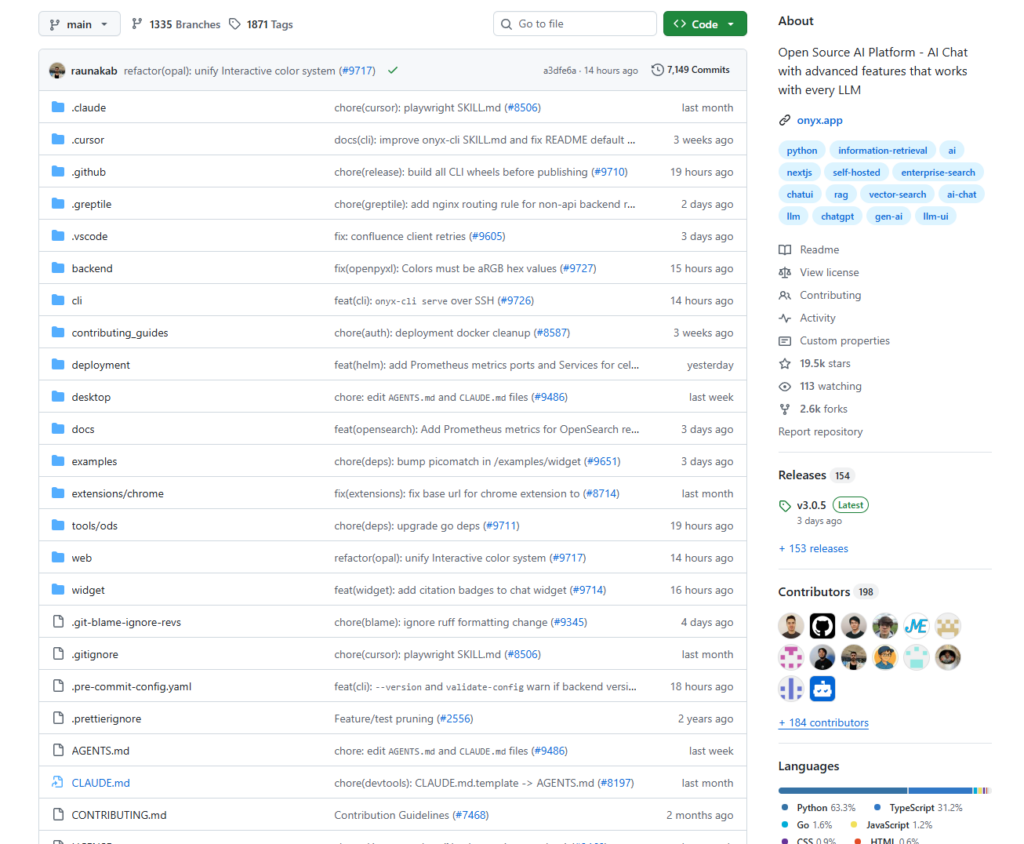
Onyx (formerly known as Danswer) is an open-source AI platform designed to be the AI assistant that connects your company’s documents, applications, and people.
The project has earned over 17,900 GitHub stars, was incubated by Y Combinator, and is already deployed at companies like Ramp — answering thousands of questions every week.
Core Capabilities
🔍 Enterprise Search
Onyx goes far beyond simple retrieval-augmented generation (RAG). Its custom indexing and retrieval stack handles tens of millions of documents while maintaining high precision and performance. Under the hood, it combines hybrid search (BM25 + vector semantic retrieval), contextual retrieval, and an AI-generated knowledge graph — minimizing hallucinations and maximizing relevance.
🔌 40+ Data Connectors
Connect to Google Drive, Slack, Confluence, GitHub, Jira, Salesforce, Gmail, Microsoft SharePoint, Zendesk, Gong, Dropbox, and over 40 other popular tools. Onyx syncs your data automatically and inherits the original permission controls — so the right people always see the right information, and nothing leaks across boundaries.
🤖 Custom AI Agents
Build specialized AI assistants for different teams and use cases. Each Agent can be given unique instructions, a dedicated knowledge base, and action capabilities — and can interact with external systems through the Model Context Protocol (MCP).
🔬 Deep Research
For complex, multi-faceted questions, Onyx performs multi-step agentic searches and returns comprehensive, research-grade answers — not just a list of links or simple snippets.
💻 Code Interpreter & Image Generation
An integrated code execution environment lets Onyx analyze data, generate charts, and produce downloadable files. Image generation from text prompts is also supported.
🌍 Web Search
Onyx integrates with Google PSE, Exa, Serper, and its own web crawler — seamlessly combining your internal knowledge with real-time information from the web.
🔒 Enterprise-Grade Security
Full support for SSO (OIDC / SAML / OAuth2), role-based access control (RBAC), credential encryption, and fully air-gapped (offline) deployments. Your data never has to leave your infrastructure.
LLM-Agnostic by Design
Onyx works with virtually every major language model — cloud-hosted providers like OpenAI, Anthropic Claude, and Google Gemini, as well as self-hosted solutions like Ollama and vLLM. No vendor lock-in.
3. How to Get Started
Option A: Cloud Trial (Fastest)
Sign up at cloud.onyx.app — no credit card required. You can explore Onyx Cloud for free and get a feel for the product before committing to a self-hosted setup.
Option B: Self-Hosted with Docker (Recommended)
Deploy Onyx on your own server or laptop with a single command:
curl -fsSL https://raw.githubusercontent.com/onyx-dot-app/onyx/main/deployment/docker_compose/install.sh > install.sh && chmod +x install.sh && ./install.shOnyx also provides official guides for Kubernetes, Terraform, and major cloud providers.
Basic Workflow
- Connect your data sources
In the admin panel, select the connectors you need (e.g., Slack, Google Drive). After authorization, Onyx automatically indexes your content and keeps it up to date with incremental syncs. - Configure your LLM
Enter your preferred LLM API key (OpenAI, Anthropic, etc.) in settings — or point Onyx to a locally running model. - Create AI Assistants
Build role-specific agents for your team: an HR Assistant, a Code Review Bot, a Customer Support Agent. Assign each its own knowledge base and behavioral instructions. - Start asking questions
Chat through the web interface directly, or ask questions right inside Slack — Onyx will respond with answers sourced from your internal knowledge.
Edition Comparison
| Edition | License | Best For |
|---|---|---|
| Community Edition (CE) | MIT (Open Source) | Individuals, small teams, developers |
| Enterprise Edition (EE) | Commercial | Larger organizations, advanced features |
4. Summary
Onyx is one of the most mature open-source solutions in the enterprise AI search space today. It’s not a basic “chat with your docs” tool — it’s a full-featured AI platform built for organizations that take their data seriously:
- ✅ Open source & self-hostable — your data stays under your control
- ✅ 40+ connectors — covers the tools your team already uses
- ✅ Advanced retrieval stack — hybrid search + knowledge graph + RAG in one
- ✅ Flexible deployment — from a local laptop to large-scale cloud infrastructure
- ✅ LLM-agnostic — no lock-in to any AI provider
If your team is losing hours every week just finding information, or if you want to build a truly private AI assistant on top of your own data — Onyx is worth a serious look.
🔗 GitHub: github.com/onyx-dot-app/onyx
🌐 Website: onyx.app
📖 Documentation: docs.onyx.app
If you found this article useful, feel free to share it with your team or anyone wrestling with the knowledge management problem.