An open-source project that upgrades your AI coding assistant from a lone soldier to a coordinated special-ops team.
1. What Problem Does It Solve?
Since OpenAI launched Codex CLI, developers have had access to a powerful AI coding assistant right in their terminal. But as tasks grow in complexity, a fundamental limitation emerges: a single Codex instance can only do so much.
In day-to-day use, developers consistently run into four pain points:
① No structured workflow
Codex CLI is an execution engine — but it has no standardised task-planning process. There is no systematicplan → exec → verify → fixloop to carry an idea all the way to running code.
② Large tasks cannot run in parallel
For something like “refactor the auth module”, a single agent can only work serially. It’s slow, prone to getting stuck, and leaves multi-core machines largely idle.
③ No persistent memory or context
Every time a session ends, the agent’s understanding of your project resets to zero. Cross-session knowledge and project context have to be maintained manually by the developer.
④ Vague requirements lead to wasted work
When requirements are fuzzy, Codex tends to dive straight into code — and the result often misses the mark entirely, burning tokens and time for nothing.
oh-my-codex (OMX) was built specifically to fix all of this.
2. What Is It?
OMX is a workflow orchestration layer for OpenAI Codex CLI. It doesn’t replace Codex — it wraps Codex in a much richer runtime environment, making complex tasks controllable, parallelisable, and traceable.
In one sentence: OMX turns Codex CLI from a lone soldier into a coordinated special-ops team.
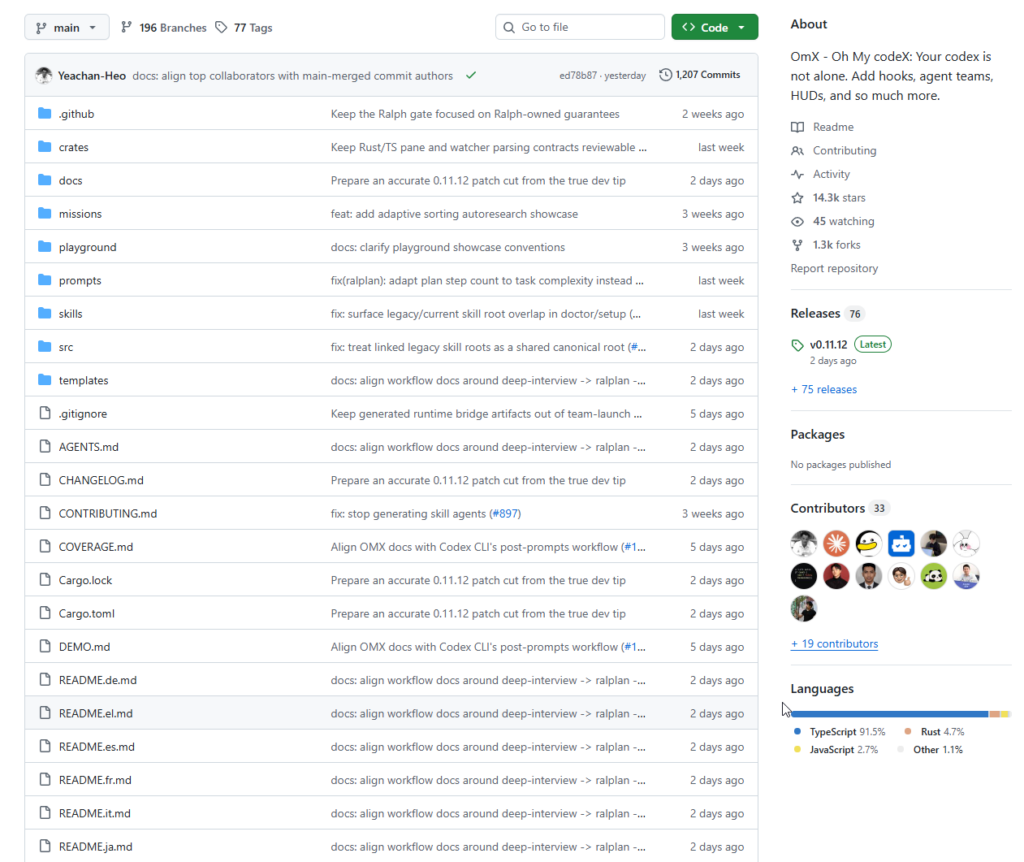
The project was created by Yeachan Heo (@Yeachan-Heo), a quant trader by day and prolific vibe-coder by night, who focuses his side-project time on multi-agent orchestration systems. The project currently ships 33 specialised prompts, 36 workflow skills, a Team collaboration mode, and 5 MCP servers.
Core Architecture
User Request
    ↓
OMX Workflow Layer  (prompts / skills / hooks)
    ↓
Codex CLI           (execution engine)
    ↓
MCP Servers         (state / memory / code intelligence)
    ↓
.omx/ directory     (runtime state, memory, plans, logs)
Five Core Capabilities
① Multi-agent team parallelism (Team Mode)
Every Team Worker runs inside its own isolated git worktree by default, enabling conflict-free parallel development with no manual branch juggling. The Leader continuously integrates Worker commits and surfaces conflicts early.
② Autonomous research (AutoResearch)omx autoresearch kicks off a self-directed research loop that iteratively explores a topic, refines its questions, and synthesises findings into a structured report across multiple iterations.
③ Deep-requirement interviews (Deep Interview)
Before writing a single line of code, OMX uses Socratic questioning to deeply clarify requirements, surface hidden assumptions, and make sure you know exactly what you’re building.
④ Persistent memory and state (MCP Servers)
Five MCP servers give OMX cross-session project memory, state read/write, and code-intelligence capabilities — the agent no longer suffers from amnesia between sessions.
⑤ Multi-stage pipeline (Staged Pipeline)
A standard workflow of plan → prd → exec → verify → fix ensures complex tasks are tackled methodically, one verified step at a time.
3. How to Use It
Installation
Install globally with a single command:
npm install -g oh-my-codex
Then run setup and diagnostics:
omx setup && omx doctor
The setup flow handles everything automatically: creating directories, installing 30 agent prompts, installing 40 skills, updating config.toml, generating AGENTS.md, configuring the notification hook, and setting up the HUD status line.
Command Quick Reference
| Command | What it does |
|---|---|
omx | Launch Codex with the HUD active |
omx team 3 "task description" | Spin up 3 parallel Workers for a task |
omx autoresearch "topic" | Start an autonomous research loop |
omx exec npm test | Run a command through the OMX orchestration layer |
omx status | Show currently active modes |
omx doctor | Diagnose installation and runtime health |
omx resume | Restore a previous Codex session |
Real-world Walkthrough: Refactoring the Auth Module
Step 1 — Clarify requirements (Deep Interview)
Inside a Codex session, OMX will ask targeted questions to sharpen your requirements before any code is written:
$deep-interview "clarify the authentication change"
Step 2 — Build a plan (RAL Plan)
A Planner → Architect → Critic review cycle produces a signed-off RALPLAN-DR summary:
$ralplan "approve the auth plan and review tradeoffs"
Step 3 — Execute in parallel (Team Mode)
Three Workers run in isolated worktrees simultaneously, with zero interference between them:
omx team 3:executor "refactor auth module with full test coverage"

# Check progress
omx team status refactor-auth-module
worker-1: worktree=.omx/team/.../worker-1  status=in_progress
worker-2: worktree=.omx/team/.../worker-2  status=completed
worker-3: worktree=.omx/team/.../worker-3  status=completed
integration: merged=2 conflicts=0
Step 4 — Persistent completion loop (Ralph)
Ralph is a self-referential execution loop that keeps running until the task is done, auto-fixing problems as they arise:
$ralph "carry the approved plan to completion"
Mixed AI Providers
OMX supports running Workers from Codex, Claude, and Gemini side-by-side. Each Worker gets its own worktree, and the full plan → exec → verify → fix pipeline applies regardless of provider:
OMX_TEAM_WORKER_CLI_MAP=codex,claude,gemini \
  omx team 3:executor "full-stack implementation"
Notification Integrations
You don’t need to watch the terminal while tasks run. OMX routes all notifications through the OpenClaw gateway, supporting Discord, Slack, Telegram, and custom webhooks so no critical status update ever gets lost. Configure them inside a Codex session:
"configure discord webhook"
"configure telegram notifications"
4. Skill Reference
OMX ships 36 workflow skills, triggered with $keyword syntax inside any Codex session:
| Skill keyword | What it does |
|---|---|
$autopilot | Fully autonomous execution from idea to working code |
$ralph | Self-referential completion loop — runs until done |
$team | N coordinated agents executing in parallel |
$plan | Consensus planning with multi-role review |
$tdd | Test-driven development (red → green → refactor) |
$build-fix | Fix build errors, type errors, and toolchain failures |
$code-review | Comprehensive code review across all quality dimensions |
$security-review | Security audit focused on vulnerabilities and trust boundaries |
$research | Parallel scientist agents for comprehensive research synthesis |
5. Verdict
oh-my-codex points in a direction that feels increasingly important for AI developer tooling: moving from single-agent conversation to multi-agent coordinated orchestration.
Its value isn’t in replacing Codex — it’s in giving Codex a structured workflow skeleton, a team-collaboration muscle, and a persistent-memory brain. For developers who already live in Codex CLI but struggle with complex, large-scale tasks, OMX is a serious force multiplier worth trying.
Great fit for:
- Developers already using OpenAI Codex CLI
- Engineers tackling large refactors or complex feature builds
- Teams that want AI-assisted coding to be standardised and auditable
Probably not for you if:
- You’re new to AI coding tools (get comfortable with Codex CLI first)
- You only need simple code completion and have no use for complex workflows
GitHub: https://github.com/Yeachan-Heo/oh-my-codex
Website: https://yeachan-heo.github.io/oh-my-codex-website/
Your Codex is no longer alone.