The Problem: Why Is Running Vision-Language Models Locally So Hard?
As multimodal AI models like GPT-4o, Gemini, and Qwen-VL become mainstream, more and more developers and researchers want to run these models locally — because uploading images and documents to the cloud raises legitimate data privacy concerns.
Yet running VLMs locally has long come with serious friction:
- High VRAM requirements: Most VLMs demand 16 GB or 24 GB of GPU memory — far beyond what consumer hardware can offer.
- Complex environment setup: CUDA versions, drivers, dependency hell — you can spend an entire day configuring the environment before running a single model.
- Mac users left behind: The majority of inference frameworks are optimized for NVIDIA GPUs, leaving the immense potential of Apple Silicon chips almost entirely untapped.
- Fragmented multimodal support: Image, audio, and video pipelines each live in their own silo, with no unified interface.
mlx-vlm was built to solve exactly these problems.
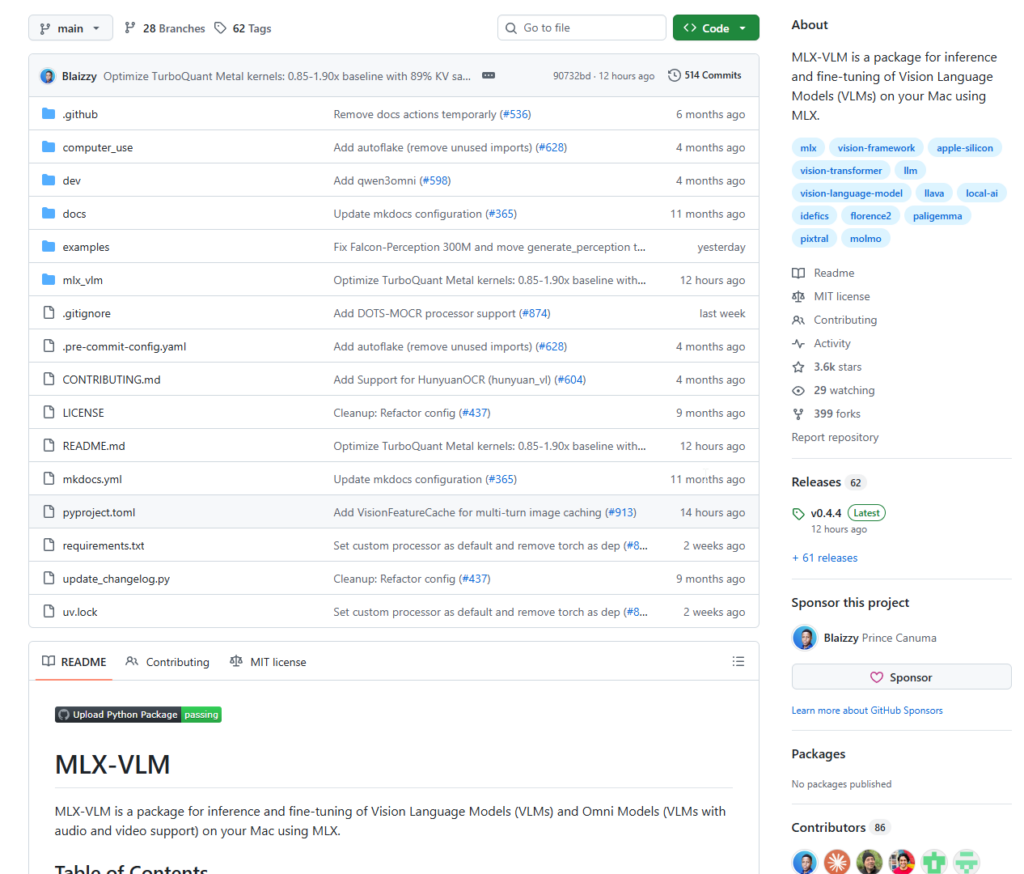
What Is mlx-vlm?
mlx-vlm is an open-source Python project by developer Prince Canuma (Blaizzy), purpose-built for Apple Silicon Macs (M1 / M2 / M3 / M4 series) and built on top of Apple’s official machine learning framework, MLX.
In one sentence: it gives you a single, unified interface to efficiently run and fine-tune 40+ mainstream vision-language models on your Mac.
Core Capabilities at a Glance
| Capability | Description |
|---|---|
| 🖼️ Image Understanding | Single and multi-image input — visual Q&A, OCR, image captioning |
| 🎬 Video Understanding | Frame sampling + temporal reasoning for video content analysis |
| 🎵 Audio Support | Omni models with speech input (audio-visual fusion) |
| 🧠 40+ Model Architectures | Qwen-VL, Gemma3, LLaVA, Phi4, Pixtral, and more |
| ⚡ Quantization | 4-bit / 8-bit quantization for dramatically reduced memory usage |
| 🔧 Fine-tuning | Supports LoRA, SFT, and ORPO training methods |
| 🌐 Multiple Interfaces | Python API, CLI, Gradio Web UI, and OpenAI-compatible FastAPI server |
Why Apple Silicon + MLX?
Apple’s M-series chips have a key architectural advantage: Unified Memory Architecture (UMA) — the CPU, GPU, and Neural Engine all share a single memory pool. On a MacBook Pro with 32 GB of RAM, the GPU can access all 32 GB directly. That’s simply impossible on a traditional discrete GPU setup.
MLX is Apple’s machine learning framework designed precisely for this architecture. mlx-vlm builds on top of it, making inference significantly more efficient on Mac than any CUDA-based alternative.
How to Use It
1. Installation
Requirements: macOS with Apple Silicon (M1 or later), Python 3.8+
pip install mlx-vlmThat’s it. All dependencies are installed automatically.
2. Quick Start via Command Line
The simplest way to try it — one command:
python -m mlx_vlm.generate \
  --model mlx-community/Qwen2-VL-2B-Instruct-4bit \
  --max-tokens 100 \
  --temp 0.0 \
  --image "your_image.jpg" \
  --prompt "Describe what is in this image."
The model is automatically downloaded from the mlx-community organization on Hugging Face (pre-quantized in MLX format — no manual conversion needed).
3. Python API
from mlx_vlm import load, generate
from mlx_vlm.prompt_utils import apply_chat_template
from mlx_vlm.utils import load_config

# Load the model (local path or Hugging Face model ID)
model_path = "mlx-community/Qwen2-VL-2B-Instruct-4bit"
model, processor = load(model_path)
config = load_config(model_path)

# Prepare inputs
image = ["https://example.com/your_image.jpg"]
prompt = "What is in this image?"

# Auto-apply the model's chat template
formatted_prompt = apply_chat_template(
    processor, config, prompt, num_images=len(image)
)

# Run inference
output = generate(model, processor, formatted_prompt, image, verbose=False)
print(output)
The API is deliberately minimal: load → format → generate. Three steps, done.
4. Multi-Image Analysis
Select models support multiple images in a single query for cross-image comparison or comprehensive analysis:
images = ["image1.jpg", "image2.jpg", "image3.jpg"]
prompt = "Compare these three images. What do they have in common, and how do they differ?"

formatted_prompt = apply_chat_template(
    processor, config, prompt, num_images=len(images)
)
output = generate(model, processor, formatted_prompt, images)
5. Gradio Web Interface
Don’t want to write code? Launch a browser UI instead:
python -m mlx_vlm.chat_ui --model mlx-community/Qwen2-VL-2B-Instruct-4bitOpen the URL in your browser, upload an image, type your question — works just like ChatGPT.
6. OpenAI-Compatible API Server
Want to integrate with your own application, LangChain, or Open WebUI?
python -m mlx_vlm.server --model mlx-community/Qwen2-VL-2B-Instruct-4bitThe server exposes a fully OpenAI-compatible interface. Existing code needs minimal or zero changes.
7. LoRA Fine-Tuning
Have your own dataset and want to build a domain-specific vision model?
python -m mlx_vlm.lora \
  --model mlx-community/Qwen2-VL-2B-Instruct-4bit \
  --train \
  --data ./your_dataset \
  --iters 1000
Fine-tune directly on your Mac — no rented servers, no CUDA configuration required.
Supported Model Families
Pre-quantized versions of all models below are available directly from the mlx-community Hugging Face organization:
- Qwen series: Qwen2-VL, Qwen3-VL (including chain-of-thought reasoning variants)
- Google: Gemma3, PaliGemma2
- Microsoft: Phi4-Multimodal, Florence-2
- Meta: Llama-3.2-Vision
- Mistral: Pixtral, Mistral3
- LLaVA family: LLaVA 1.5 / 1.6 and multiple variants
- Others: DeepSeek-VL2, InternVL, MiniCPM-V, and more
Conclusion
mlx-vlm’s value goes beyond simply “making VLMs run on a Mac.” It represents a broader philosophy: local AI inference should not be the privilege of the few.
For everyday Mac users, it means:
- ✅ Privacy by default — your images and documents never leave your machine
- ✅ Zero cost — no API subscriptions, no GPU server rental
- ✅ Low barrier to entry — one pip install, three lines of code
- ✅ Full control — fine-tune, serve via API, customize freely
That said, there are real limitations to keep in mind: mlx-vlm is Apple Silicon only (Windows and Linux users are out of luck); very large models (70B+) still demand significant RAM even after quantization; and compatibility with the newest model releases is an ongoing effort.
Even so, for developers, researchers, and creators with an M-series Mac in hand, mlx-vlm is one of the most frictionless ways to run vision-language models locally — and well worth adding to your toolkit.
📦 GitHub: https://github.com/Blaizzy/mlx-vlm
🤗 Model Hub: https://huggingface.co/mlx-community
If you find this project useful, consider giving it a ⭐ on GitHub to support the open-source author.