When large language models no longer need the cloud, privacy and intelligence can finally coexist.
1. What Have We Been Putting Up With?
Open any AI app on your phone, and you’ve probably accepted these trade-offs without a second thought:
- Always requires an internet connection — no signal, no intelligence
- Data uploaded to the cloud — your conversations, photos, and recordings all processed on someone else’s servers
- Latency and stuttering — poor network conditions mean a poor experience
- Dependent on accounts and subscriptions — the moment a vendor changes their policy, features can vanish overnight
The root cause of all of these issues is simple: the AI “brain” lives in the cloud, not in your hands.
At Google I/O 2025, Google quietly offered an answer — Google AI Edge Gallery.
2. What Is It?
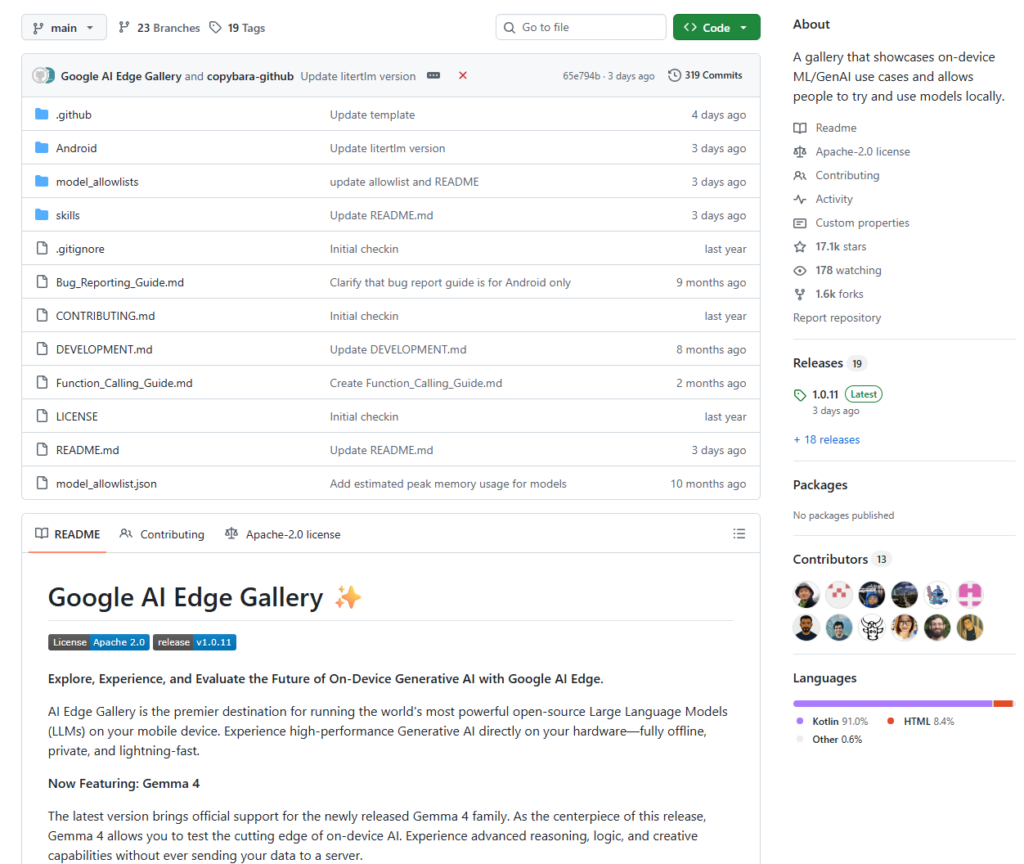
Google AI Edge Gallery is an open-source Android application (iOS support is in development) built around a single, powerful idea:
Run large language models entirely on your local device — no internet required, no cloud dependency, your data never leaves your phone.
- GitHub Repository:
https://github.com/google-ai-edge/gallery - License: Apache 2.0 (free to use and modify)
- Availability: Now available as a beta on Google Play; APK sideloading available for users outside the US
Within just two months of launch, the APK had been downloaded over 500,000 times — a clear signal of the developer community’s appetite for on-device AI.
The Technical Foundation
- LiteRT Runtime — Google’s successor to TensorFlow Lite, a high-performance ML inference framework optimized for mobile and edge devices
- MediaPipe LLM Inference API — a unified interface for running LLM inference on Android, iOS, and the web
- int4 Quantization — compresses model size by up to 4×, dramatically reducing memory usage while maintaining inference speed
3. What Problems Does It Solve?
🔒 Privacy
All inference runs locally on the device. Your prompts, images, and audio recordings never touch an external server. This is especially critical for privacy-sensitive domains like healthcare, legal services, and enterprise knowledge management.
📡 Offline Capability
Once a model is downloaded, the app works with zero network connectivity. Whether you’re in a remote area, on a subway, or on a plane — your AI features remain fully functional.
💸 Cost
On-device inference means businesses no longer pay per API call or maintain expensive cloud GPU infrastructure, significantly reducing the operational cost of edge AI applications.
🧱 Developer Barrier
For developers, Gallery isn’t just a demo — it’s a complete, production-quality reference implementation. From model loading and quantization to inference and UI interaction, everything is open-sourced and ready to learn from.
4. Feature Overview
💬 AI Chat — with Thinking Mode
Engage in fluid, multi-turn streaming conversations. Toggle Thinking Mode to visualize the model’s step-by-step reasoning process — currently available for the Gemma 4 family and ideal for understanding complex problem-solving.
🖼️ Ask Image — Multimodal Vision
Upload images from your gallery or capture them with your camera and ask the model anything: identify objects, interpret charts, describe scenes, or solve visual puzzles. Supports up to 10 images per multi-turn conversation session.
🎙️ Audio Scribe — Transcription & Translation
Upload or record audio directly in the app. The model can transcribe speech to text or translate it into another language — entirely offline, with no cloud API required.
🧪 Prompt Lab — Developer Sandbox
A dedicated single-turn workspace built for developers. Fine-tune model behavior with granular control over parameters like temperature and top-k to test and iterate on prompting strategies.
🤖 Agent Skills — Extensible Tool Use
Upgrade your LLM from a conversationalist into a proactive assistant. Connect it to tools like Wikipedia for fact-grounding, interactive maps, and rich visual summary cards. You can even load custom skill modules from a URL or browse community contributions on GitHub Discussions.
📱 Mobile Actions — Device Automation
Powered by a fine-tuned FunctionGemma 270M model, this feature enables fully offline device controls and automated tasks — no network required to execute on-device commands.
🌱 Tiny Garden — A Playful NLP Demo
Use natural language to “plant and harvest” a virtual garden. It’s a lighthearted, hands-on demonstration of on-device Function Calling capabilities.
⚡ Model Management & Benchmarking
An integrated benchmark tool lets you run performance tests directly on your device, giving you precise metrics on inference speed and resource usage for each model on your specific hardware.
5. Supported Models
Gallery supports downloading models directly from Hugging Face. Currently supported models include (but are not limited to):
| Model | Highlights |
|---|---|
| Gemma 4 Family | Google’s latest flagship; supports Thinking Mode |
| Gemma 3n | Multimodal — text, image, and audio input |
| Qwen 2.5-1.5B-Instruct | Alibaba’s Qwen series |
| Phi-4-mini-instruct | Microsoft’s lightweight, efficient model |
| DeepSeek-R1-Distill-Qwen-1.5B | DeepSeek reasoning distillation |
Users can also load custom local models, giving you full control over which model runs your inference.
6. How to Get Started
Option A: Install the App (Recommended for General Users)
Search for AI Edge Gallery on Google Play, or download the APK directly from the releases page:
https://github.com/google-ai-edge/gallery/releases
Option B: Build from Source (Recommended for Developers)
# Clone the repository
git clone https://github.com/google-ai-edge/gallery.git

# Open in Android Studio
# Build and deploy to an Android device (Android 10+ required)
Quick Start: AI Chat in 4 Steps
- Open the app and navigate to the AI Chat module
- Tap the model selector at the top and download a model (e.g., Gemma 4)
- Wait for the download to complete — this is the only step that requires a network connection
- Disconnect from Wi-Fi and start chatting — experience on-device AI in action
💡 Tip: Download models over Wi-Fi. Model sizes typically range from 1 GB to 4 GB.
7. Why Developers Should Pay Attention
For anyone building on-device AI products, Gallery is more than a showcase — it’s a complete reference architecture:
- Full integration examples using LiteRT + MediaPipe LLM Inference API
- Engineering patterns for multimodal tasks (text, image, audio)
- Practical implementations of on-device Agent / Function Calling
- A framework for Retrieval-Augmented Generation (RAG) at the edge
- Built-in model benchmarking and performance analysis tooling
Google has also announced plans to migrate the backend from MediaPipe to LiteRT-LM — a fully open-source LLM runtime — giving the community greater transparency and flexibility going forward.
8. Conclusion
Google AI Edge Gallery represents a meaningful shift in how we think about AI deployment:
Not “send more data to the cloud” — but “bring more intelligence to the device.”
Through open-source software, it unifies four goals that once seemed mutually exclusive: privacy, offline capability, low latency, and low cost. For everyday users, it’s a powerful and private local AI toolkit. For developers, it’s the best starting point for building edge AI applications.
When your phone can independently run Gemma 4 — processing images, transcribing audio, and reasoning through complex problems — the democratization of AI takes another step forward.
Cloud AI gives you capability. On-device AI gives you freedom.
⭐ GitHub: https://github.com/google-ai-edge/gallery — 16.7k stars and growing
📱 Google Play: Search “AI Edge Gallery” to install