Open-source, self-hostable, and vendor-neutral — this may be the project that comes closest to the idea of a true “AI teammate.”
The Problem: Your AI Agent Is Still Just a Freelancer
Over the past year, more and more developers have started using AI coding tools like Claude Code and Codex. They can genuinely write code — but the experience remains primitive:
- You have to manually paste a prompt every single time to tell it what to do
- You have no idea how far along a task is — you’re stuck watching the terminal
- Switch to a new task, and you have to re-explain all the context from scratch
- Multiple agents across multiple machines? A management nightmare
- Team collaboration? Humans and AI aren’t even in the same workflow
The root problem: AI agents are still “tools,” not “teammates.” Every interaction is one-off. They have no persistent state, no identity, and no way to be assigned tasks, report progress, or join discussions the way a real colleague would.
What Is Multica?
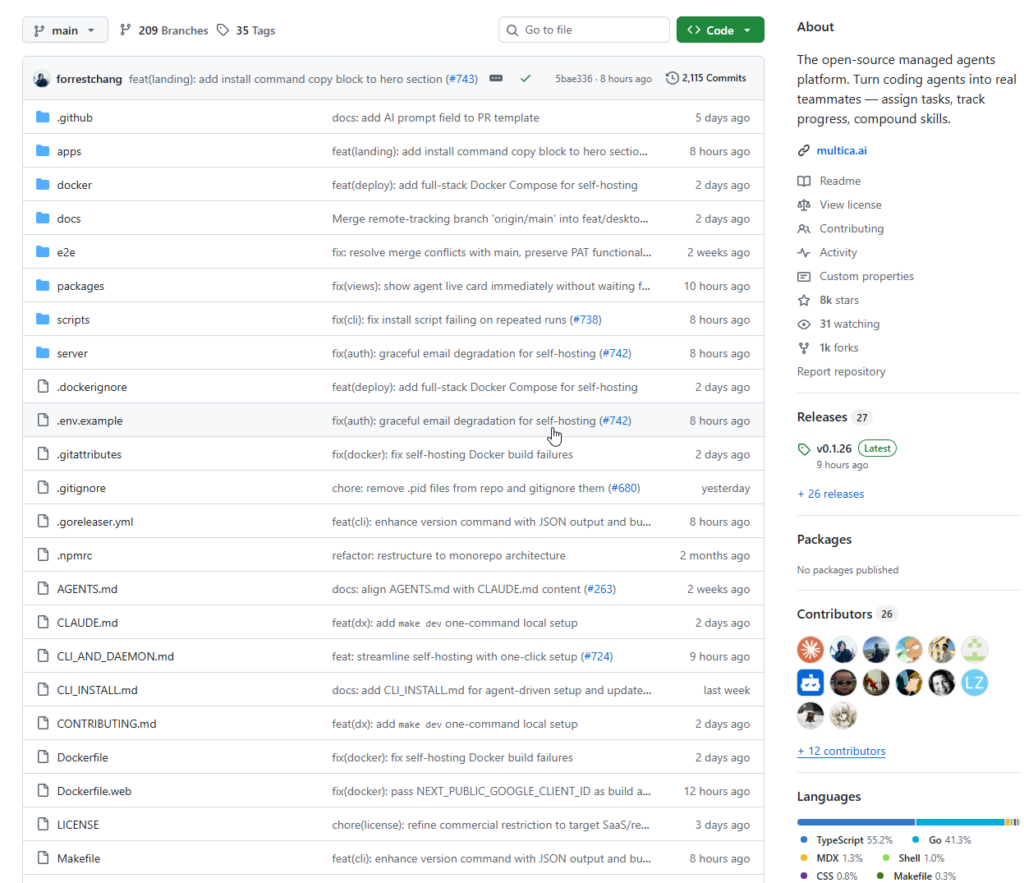
Multica is an open-source managed agents platform. GitHub: github.com/multica-ai/multica
Its core mission is captured in a single line:
Turn coding agents into real teammates.
Just as you’d assign a task to a colleague in Jira or Linear, in Multica you assign an issue to an AI agent — it picks up the work automatically, writes code, proactively flags blockers when stuck, and updates its status when done.
The entire process requires zero human intervention, and every action the agent takes is fully trackable and observable.
Core Features at a Glance
🤖 Agents as teammates Agents have their own profiles, appear on the kanban board, post comments, create issues, and proactively report blockers — all through the same interface as your human team members. You can even @-mention them.
⚙️ Fully autonomous task execution A complete task state machine: enqueue → claim → start → complete/fail. No silent failures — every transition is tracked and broadcast in real time. When an agent gets stuck, it raises its hand immediately.
🧠 Reusable skills Every problem solved can be saved as a reusable skill for the whole team. Deployments, migrations, code reviews — skills compound over time, making the entire team faster and smarter.
🖥️ Unified runtime management One dashboard for all your compute. Local daemons, cloud instances, auto-detection of available agent CLIs, real-time monitoring.
🔀 Multi-workspace support Organize work across teams with workspace-level isolation. Each workspace has its own agents, issues, and settings.
📡 Vendor-neutral Supports Claude Code, Codex, OpenClaw, and OpenCode out of the box. No lock-in to any single AI provider.
🔓 Fully open-source and self-hostable Apache 2.0 license. All code is auditable. One-command Docker deployment. Your data stays on your infrastructure.
The project currently sits at 7.6k stars on GitHub and is being actively developed.
How to Use It
Option 1: Use the Hosted Service (Fastest)
Visit multica.ai, sign up with your email, and you’re in. Your workspace is created automatically — no configuration needed.
Option 2: Self-host Locally
Prerequisites: Docker and Docker Compose installed.
git clone https://github.com/multica-ai/multica.git
cd multica
cp .env.example .env
# Edit .env — change JWT_SECRET at minimum
docker compose -f docker-compose.selfhost.yml up -d
Once running, open http://localhost:3000 to access the web interface.
Install the CLI and Connect Your Machine
# macOS (recommended)
brew tap multica-ai/tap
brew install multica

# Authenticate and start the daemon
multica login        # Opens browser for OAuth, stores a 90-day token
multica daemon start # Starts the local agent runtime
The daemon automatically scans your PATH for installed agent CLIs (claude, codex, openclaw, opencode) and registers each one as an available runtime.
Create Your First Agent and Assign a Task
- Confirm your runtime — in the web app, go to
Settings → Runtimesand verify your machine shows as active - Create an agent — go to
Settings → Agents → New Agent, select your runtime and provider (e.g. Claude Code), and give it a name - Assign a task — create an issue on the board, then pick your agent from the Assignee dropdown, exactly like assigning to a human teammate
- Watch it work — the agent picks up the task automatically, streams progress in real time, and updates its status when done
The full flow looks like this:
Issue created → Assigned to Agent → Daemon receives task → Isolated environment created
    → Agent CLI runs → Progress streamed back → Status updated on completion/failure
Extra Configuration for Self-hosted Deployments
If you’re running a self-hosted instance, point the CLI at your server before logging in:
multica config set app_url http://localhost:3000
multica config set server_url ws://localhost:8080/ws
multica login
Architecture Overview
Multica is composed of three main parts:
| Component | Description |
|---|---|
| Web frontend | Task board, agent management, real-time progress display |
| Backend service (Go) | Task scheduling, state management, WebSocket broadcasting |
| Local daemon (CLI) | Connects your machine, executes agent tasks in isolated environments |
The database is PostgreSQL 17 with pgvector (enabling vector search for skill reuse and retrieval). Authentication uses email-based magic links via Resend.
Summary
Multica solves the missing collaboration layer for AI agents.
Most developers now have access to powerful tools like Claude Code and Codex — but there’s no infrastructure to manage those agents the way you’d manage a human team: assigning work, tracking progress, compounding experience over time. Multica is that infrastructure layer.
It’s especially valuable for:
- Solo developers — hand off repetitive tasks (writing tests, documentation, refactoring) to an agent and focus on core logic
- Small teams — humans and AI agents collaborating on the same board, in a unified workflow
- Teams with data sovereignty requirements — fully self-hosted, code is auditable, no dependency on third-party cloud services
To be fair, the project is still relatively new (open-sourced just two weeks ago), and the ecosystem and documentation are still maturing. But in terms of architecture and existing functionality, this is the most complete open-source implementation of the “AI teammate management platform” concept currently available.
Worth watching closely.
GitHub: https://github.com/multica-ai/multica
Official site: https://multica.ai
If you find it useful, drop a star to support the open-source authors.