Does This Sound Familiar?
Write a prompt. Call the API. Look at the output. Feels good. Ship it.
A few days later, user feedback rolls in: the model occasionally misses the point, formatting breaks down, or it confidently hallucinates a feature that doesn’t exist. Even worse — after you rewrote the prompt, you have no idea whether things actually improved or got worse, because you never tested it systematically.
This “go-by-feel” development cycle is the norm for most LLM application teams today. Promptfoo exists to fix that.
What Is Promptfoo?
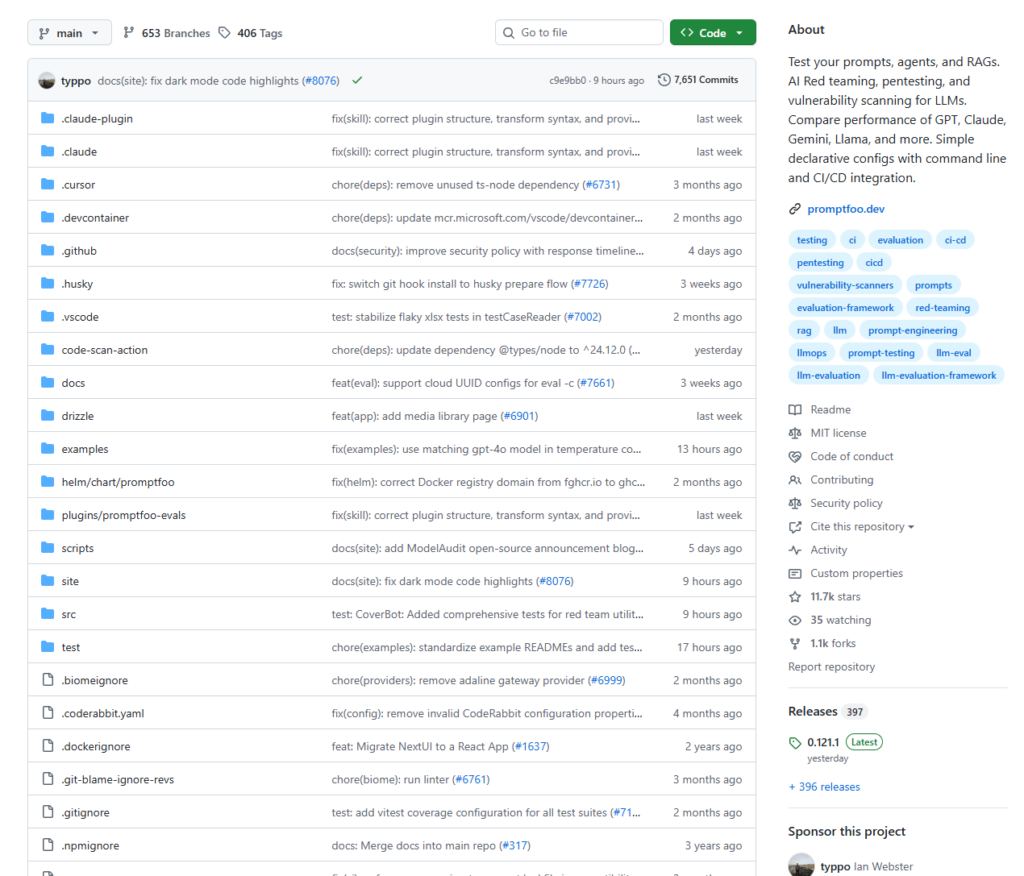
Promptfoo is an open-source CLI tool and library for testing prompts, AI agents, and RAG pipelines — and for running automated red teaming, penetration testing, and security vulnerability scanning on LLM applications.
At its core, it does two things:
- Eval (Evaluation) — Systematically test your prompt quality and compare different models or prompt versions side by side with real data.
- Red Teaming — Actively probe your LLM application for security weaknesses: prompt injection, PII leakage, jailbreaks, and more.
Originally built to serve LLM applications used by over 10 million users, promptfoo has been validated at production scale. It is fully open source on GitHub, with over 60,000 stars — one of the most active LLM testing frameworks in the community.
What Problems Does It Solve?
Problem 1: LLM Output Is Non-Deterministic, Making Testing Hard
In traditional software, fixed input yields fixed output — assertions are straightforward. With LLMs, the same input can produce many valid outputs. Response quality depends on conversation context, and AI agents must correctly invoke external tools, adding layers of complexity.
Promptfoo handles this through a rich set of assertion types: from exact string matches and regex checks, to using another LLM as a judge (LLM-as-Judge) to evaluate semantic quality.
Problem 2: No Way to Know If a Prompt Change Actually Helped
Promptfoo runs every test case across your full matrix of prompts and models, generating a visual results grid so you can make data-backed decisions — not gut-feel ones.
Problem 3: Security Testing Is a Blind Spot for Most Teams
Most teams never systematically test their LLM’s security before shipping. Promptfoo’s red teaming feature actively probes your prompt for vulnerabilities — testing prompt injection, checking for PII leakage, and identifying edge cases that bypass your safety guardrails. It is one of the only frameworks that treats security testing as a first-class feature alongside performance evaluation.
Key Features at a Glance
| Feature | Description |
|---|---|
| Multi-model comparison | Run the same test suite against GPT-4, Claude, Gemini, Llama, and more — side by side |
| Multi-prompt A/B testing | Compare prompt versions with real data, not intuition |
| Rich assertion types | Exact match, regex, JSON Schema, LLM-as-Judge, custom functions |
| Red teaming | Automated security scanning covering OWASP LLM Top 10 |
| CI/CD integration | Works with GitHub Actions, Jenkins — catches regressions before they ship |
| Local execution | Data stays on your machine — great for privacy-sensitive workloads |
| Web UI | Visual results dashboard for team collaboration |
How to Use It
Installation
# via npm
npm install -g promptfoo

# via pip
pip install promptfoo

# via Homebrew
brew install promptfoo
Step 1 — Initialize a Project
promptfoo init
This generates a promptfooconfig.yaml configuration file in your current directory.
Step 2 — Write Your Config
# promptfooconfig.yaml
prompts:
  - "Translate the following text to English: {{text}}"
  - "You are a professional translator. Render the following into natural, idiomatic English: {{text}}"

providers:
  - openai:gpt-4o-mini
  - anthropic:claude-3-5-haiku-20241022

tests:
  - vars:
      text: "Artificial intelligence is transforming the world."
    assert:
      - type: contains
        value: "artificial intelligence"
      - type: llm-rubric
        value: "The translation should be accurate and read naturally in English."

  - vars:
      text: "The weather is beautiful today."
    assert:
      - type: javascript
        value: "output.length > 5"
Step 3 — Run the Evaluation
promptfoo eval
Step 4 — View Results
promptfoo view
This opens a local Web UI showing a results matrix across every combination of prompt, model, and test case — with pass/fail status highlighted for each.
Advanced: Red Teaming Security Scans
promptfoo redteam init    # Generate red team config
promptfoo redteam run     # Execute the scan
promptfoo redteam report  # Generate security report
Promptfoo can generate compliance reports against frameworks like OWASP and NIST, automatically surface security vulnerabilities, and integrate as a quality gate in your CI/CD pipeline to block unsafe releases.
CI/CD Integration (GitHub Actions Example)
name: LLM Eval
on:
  pull_request:
    paths:
      - 'prompts/**'
      - 'promptfooconfig.yaml'

jobs:
  evaluate:
    runs-on: ubuntu-latest
    steps:
      - uses: actions/checkout@v4
      - name: Run eval
        env:
          OPENAI_API_KEY: ${{ secrets.OPENAI_API_KEY }}
        run: npx promptfoo@latest eval -c promptfooconfig.yaml
This automatically catches quality regressions before any prompt change merges to main — and tracks token usage and API cost changes over time.
A Few Details Worth Noting
The assertion system is surprisingly powerful. The llm-rubric assertion type lets another LLM evaluate your output’s quality on your behalf — catching subtle issues that exact string matching will never find.
Multi-turn conversation testing is supported. For agent scenarios that require maintained context, promptfoo lets you configure multi-turn test cases that simulate real user interaction flows.
Your data stays local by default. Prompts and test data don’t leave your machine unless you explicitly choose to share them — a meaningful consideration for teams handling sensitive information.
Summary
| Dimension | Assessment |
|---|---|
| Positioning | Automated testing framework for LLM applications |
| Best for | Development teams with production LLM apps; enterprises with security/compliance requirements |
| Core value | Upgrade from “gut feel” to data-driven prompt iteration |
| Learning curve | Requires comfort with CLI tools; config is primarily YAML |
| License | MIT — fully free, self-hostable |
LLM application development is evolving from “it runs” to “it’s reliable.” When your product involves real users, real data, and real business consequences, shipping on vibes is too risky.
What promptfoo offers isn’t just a testing tool — it’s an engineering mindset: define what “correct” looks like first, then measure and optimize systematically. This is the same philosophy as test-driven development (TDD) in software engineering. It just took a while to reach AI.
If you’re serious about building LLM applications, start today: write a few test cases for your prompts and see what you’ve been missing.
📦 GitHub: https://github.com/promptfoo/promptfoo
📖 Documentation: https://www.promptfoo.dev/docs/intro/