No camera. No images. No video. Just your existing WiFi router — and the ability to see through walls.
1. What Problem Does It Solve?
In traditional human pose estimation, cameras are the default — and often the only — option. Whether it’s gym form analysis, fall detection in hospitals, or retail footfall heatmaps, dense networks of cameras have long been the backbone of spatial sensing systems.
But cameras carry a fatal flaw: privacy.
Installing cameras in bedrooms, bathrooms, or care homes to monitor elderly residents creates an ethical conflict that’s nearly impossible to resolve. On top of that, cameras suffer from blind spots, lighting dependency, and occlusion failure.
WiFi DensePose was built to resolve this tension entirely:
- No cameras, no images, no visual data of any kind
- Uses the WiFi router already in your home to sense the real-time pose of everyone in the space
- Walls are not a barrier, darkness is not a problem, and privacy is fully preserved
2. What Is WiFi DensePose?
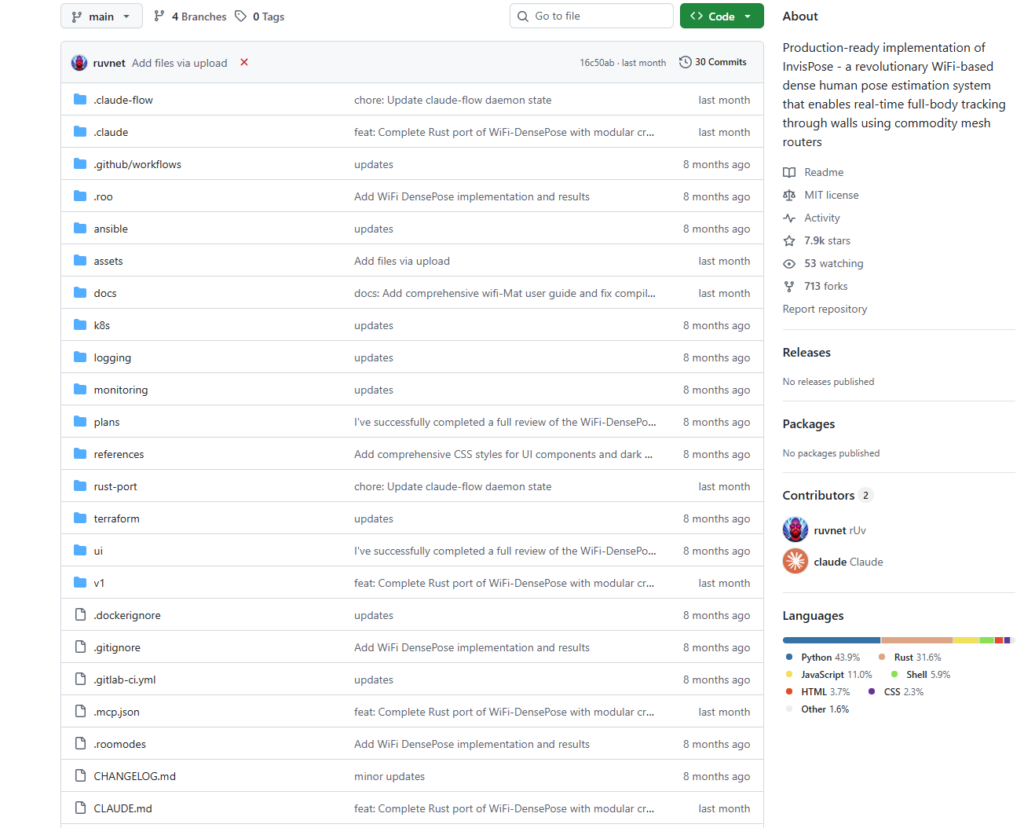
WiFi DensePose is a production-grade open-source project by ruvnet on GitHub, inspired by the academic research behind InvisPose. With over 5,700 stars, it is one of the most-watched AI sensing repositories in recent memory.
Core Principle: CSI Signals + Neural Networks
The project is built on CSI (Channel State Information) — a precise measurement of how WiFi signals are disturbed as they bounce off, scatter around, and pass through human bodies. WiFi DensePose trains a neural network to learn the mapping between these CSI perturbations and human body poses, enabling camera-free pose estimation.
The full processing pipeline looks like this:
WiFi Router → CSI Data Collection → Signal Preprocessing / Denoising → Neural Network Inference → Human Pose OutputKey Capabilities at a Glance
- Real-time performance: Latency under 50ms, running at 30 FPS
- Multi-person tracking: Up to 10 people simultaneously
- Through-wall sensing: WiFi signals penetrate walls and cover entire rooms
- Privacy-first architecture: Zero images or video — data can be processed entirely on-device
- Enterprise-grade design: Built-in JWT authentication, Prometheus monitoring, and API rate limiting
- Multi-language implementation: Python primary version + a high-performance Rust port
- Domain-specific presets: Pre-configured templates for healthcare, fitness, retail, and security
3. How to Use It
Quick Start — 3 Steps to Launch
Step 1: Install
# Option 1: pip install
pip install wifi-densepose

# Option 2: Docker (recommended for production)
docker pull ruvnet/wifi-densepose:latest
docker run -p 8000:8000 ruvnet/wifi-densepose:latest
Step 2: Start the service
# Start in test mode (no real hardware required)
wifi-densepose start --test-mode

# Start with full API
wifi-densepose start --api
Step 3: Call the API
# Retrieve the latest pose data
curl http://localhost:8000/api/v1/pose/latest

# Check system status
curl http://localhost:8000/api/v1/system/status
WebSocket Real-Time Streaming
import asyncio, websockets, json

async def stream_poses():
    uri = "ws://localhost:8000/ws/pose/stream"
    async with websockets.connect(uri) as websocket:
        while True:
            data = await websocket.recv()
            poses = json.loads(data)
            print(f"Detected {len(poses['persons'])} person(s)")

asyncio.run(stream_poses())
Domain-Specific Configuration Examples
Healthcare (Fall Detection):
from wifi_densepose.config import Settings

config = Settings(
    domain="healthcare",
    analytics={
        "enable_fall_detection": True,
        "alert_thresholds": {"fall_confidence": 0.9}
    },
    privacy={"anonymize_data": True}
)
Fitness (Form Analysis):
config = Settings(
    domain="fitness",
    analytics={
        "enable_form_analysis": True,
        "metrics": ["rep_count", "form_score", "intensity"]
    }
)
Retail (Footfall Heatmaps):
config = Settings(
    domain="retail",
    detection={"max_persons": 50},
    analytics={
        "enable_traffic_analytics": True,
        "heatmap_generation": True
    }
)
Hardware Requirements
WiFi DensePose supports standard WiFi routers that are capable of exporting CSI data. Some router firmware natively supports this; alternatively, specific network cards such as the Intel 5300 series can be used. In test mode, no real hardware is required — you can explore the full feature set on any machine.
4. Real-World Use Cases
| Use Case | Pain Point with Traditional Cameras | WiFi DensePose Advantage |
|---|---|---|
| Elderly fall detection | Bedroom cameras violate privacy | No imagery — much higher acceptance from residents and families |
| Fitness form correction | Requires dedicated camera equipment | Works with any standard WiFi router |
| Retail customer analytics | High cost of large camera deployments | Wider coverage with fewer hardware requirements |
| Earthquake / disaster rescue | Cameras fail inside rubble | WiFi signals penetrate debris to locate survivors |
| Smart home occupancy sensing | Families uncomfortable with in-home cameras | Behavioral sensing with zero image recording |
The project also ships a dedicated search-and-rescue extension module, designed for environments where cameras are completely non-functional — collapsed buildings, earthquake disaster zones — using WiFi signals to detect the location of survivors.
5. Summary
WiFi DensePose represents a genuinely new sensing paradigm: using the ubiquitous wireless signals already around us to understand and interpret physical space — without a single camera.
This is not a toy project. An enterprise-grade REST API, Kubernetes deployment support, a Rust high-performance port, and a full CI/CD pipeline all signal that this was designed seriously for production environments.
That said, a clear-eyed view of the limitations is warranted. CSI data collection does impose certain router hardware requirements. Real-world generalization of the neural network models requires further validation. And accuracy in dense, crowded scenarios still has room to improve.
But the direction is right. As privacy moves from a niche concern to a mainstream requirement, “camera-free sensing” is not a gimmick — it is a real and growing technical need with genuine market potential.
GitHub Repository: https://github.com/ruvnet/wifi-densepose
If you work in AI perception, edge computing, or privacy-preserving technology, this project is well worth a deep dive.